Create Agentic Team
Learn how to create a new agentic team using CrewAI and Langchain. This guide walks you through the process of setting up a team, including naming and describing it, and selecting specific tools and models.
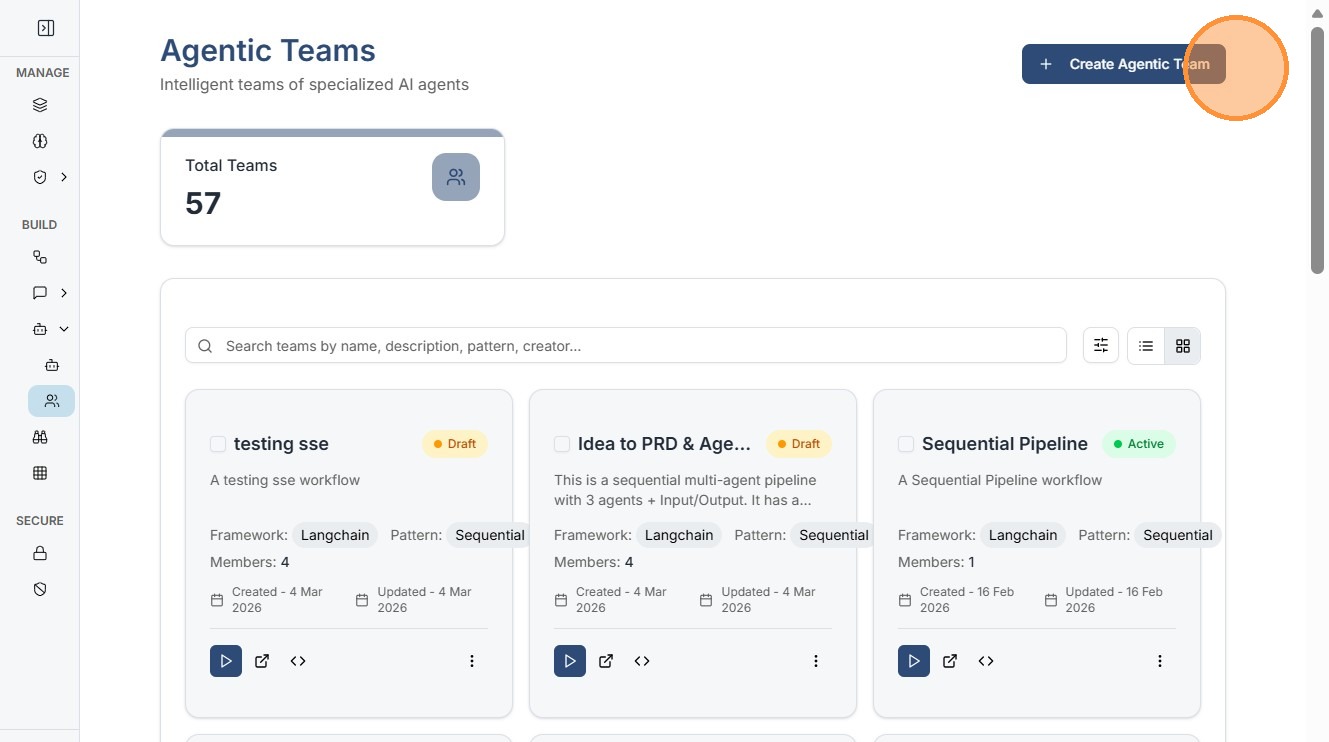
Click "Create Agentic Team"
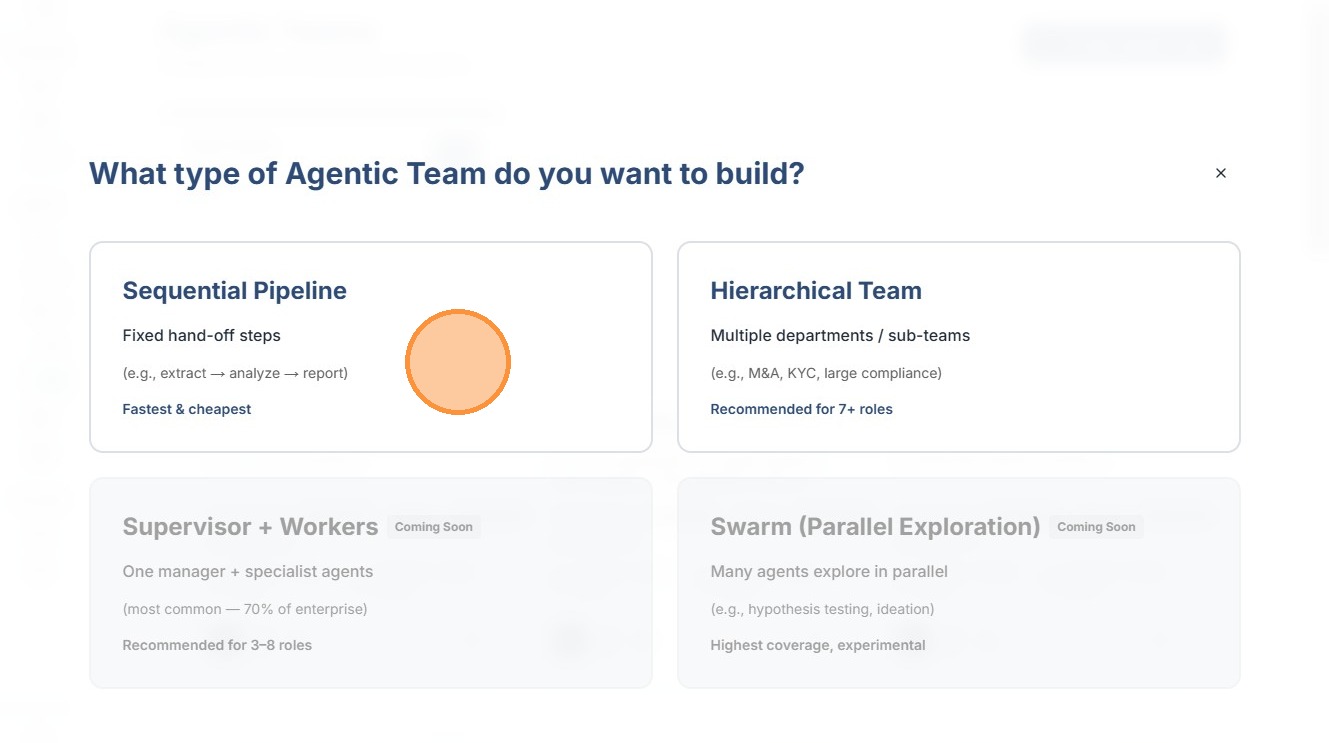
Select which kind of pipeline you want to build Sequential or Hierarchial.
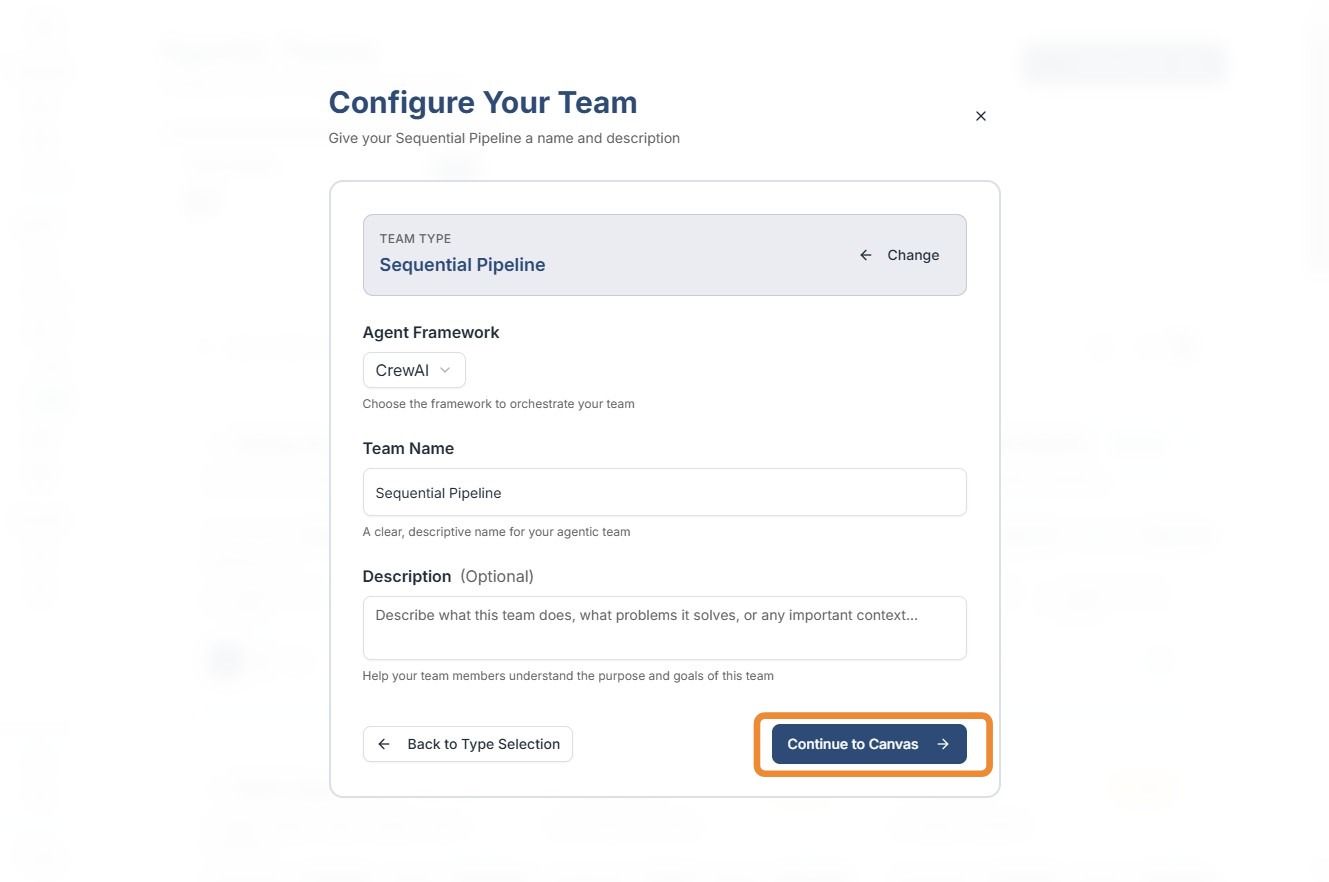
Choose Framework, Team name, Description and click continue to canavas.
Drag and Drop agents from side panel , all your smart agents with "Active" status are mentioned here.
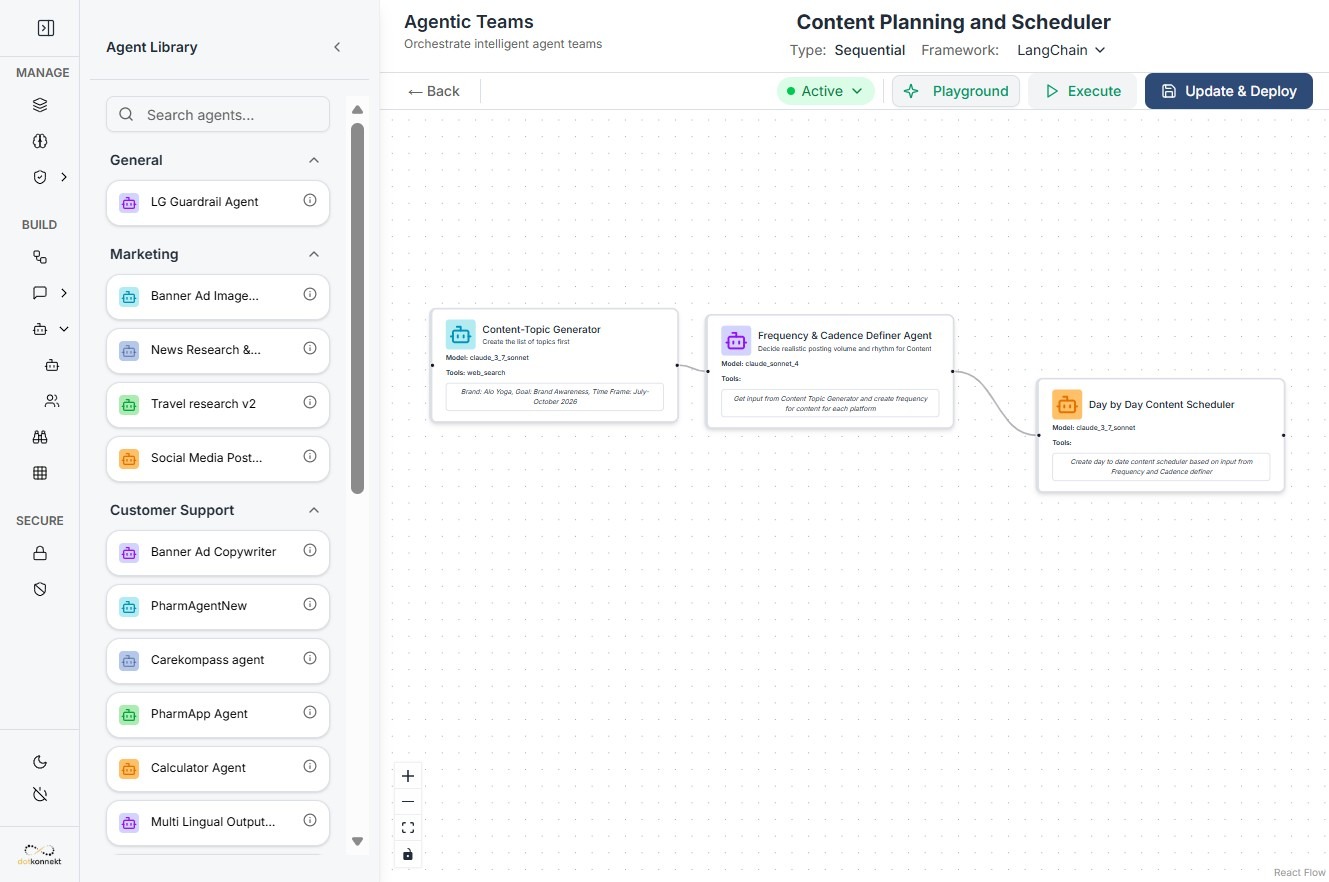
Click "Execute" to test the team , "Save" to save the teams and finally "Update & deploy" if you have made changes.
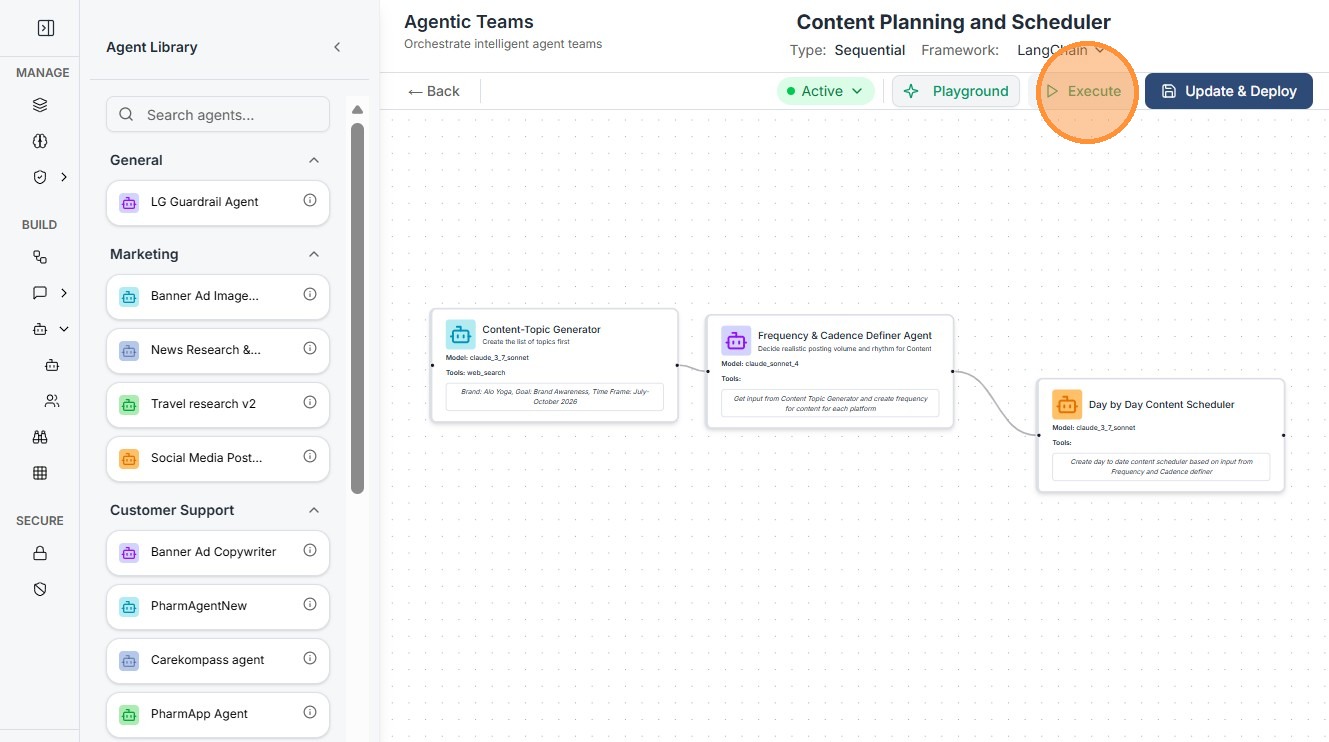
Important: Only Smart Agents with an Active status are visible in the Agent Library when building or configuring Agentic Teams. If an agent is set to Draft, it will not appear as an available member for your workflow or team.
Sequential vs. Hierarchical Teams
- Use Sequential Pipelines: When your task has a clear linear progression where one agent's output is the direct input for the next (e.g., Data Extraction → Analysis → Report Generation).
- Use Hierarchical (Manager) Teams: When you have a complex goal that requires a lead agent to delegate various sub-tasks to specialized agents based on the context of the query.