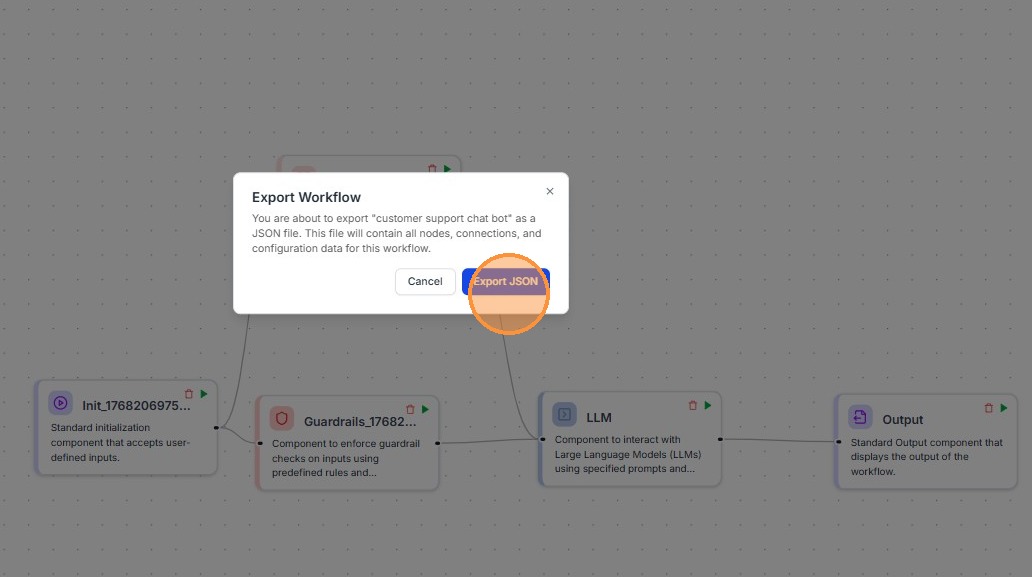
How to Import and Export Workflows in Kompass
Learn how to easily import and export workflows within the Kompass platform.
1. Navigating to the Dashboard
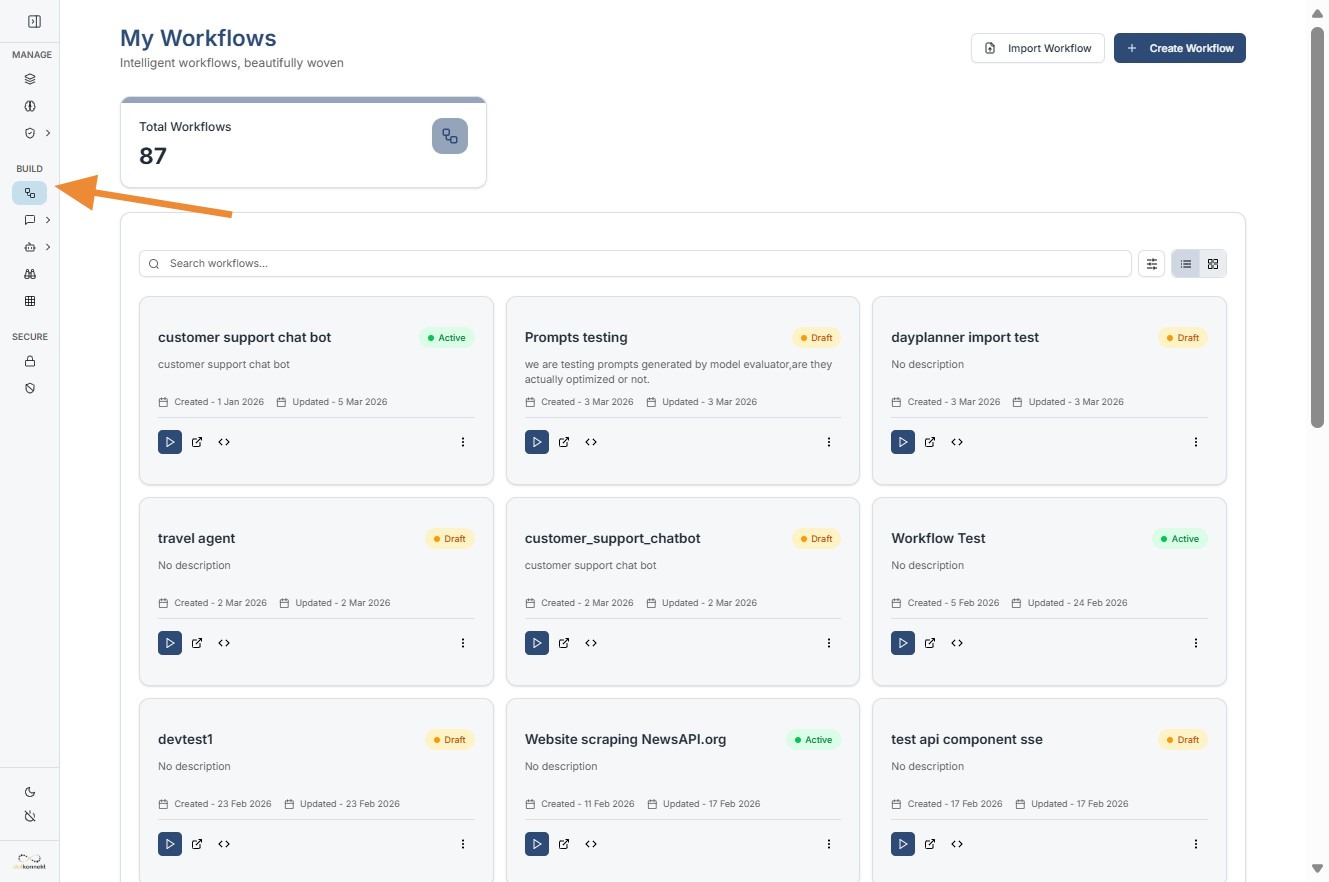
To begin, log in to your Kompass admin console. On the left-hand sidebar, ensure you are in the Workflows section.
Importing a Workflow
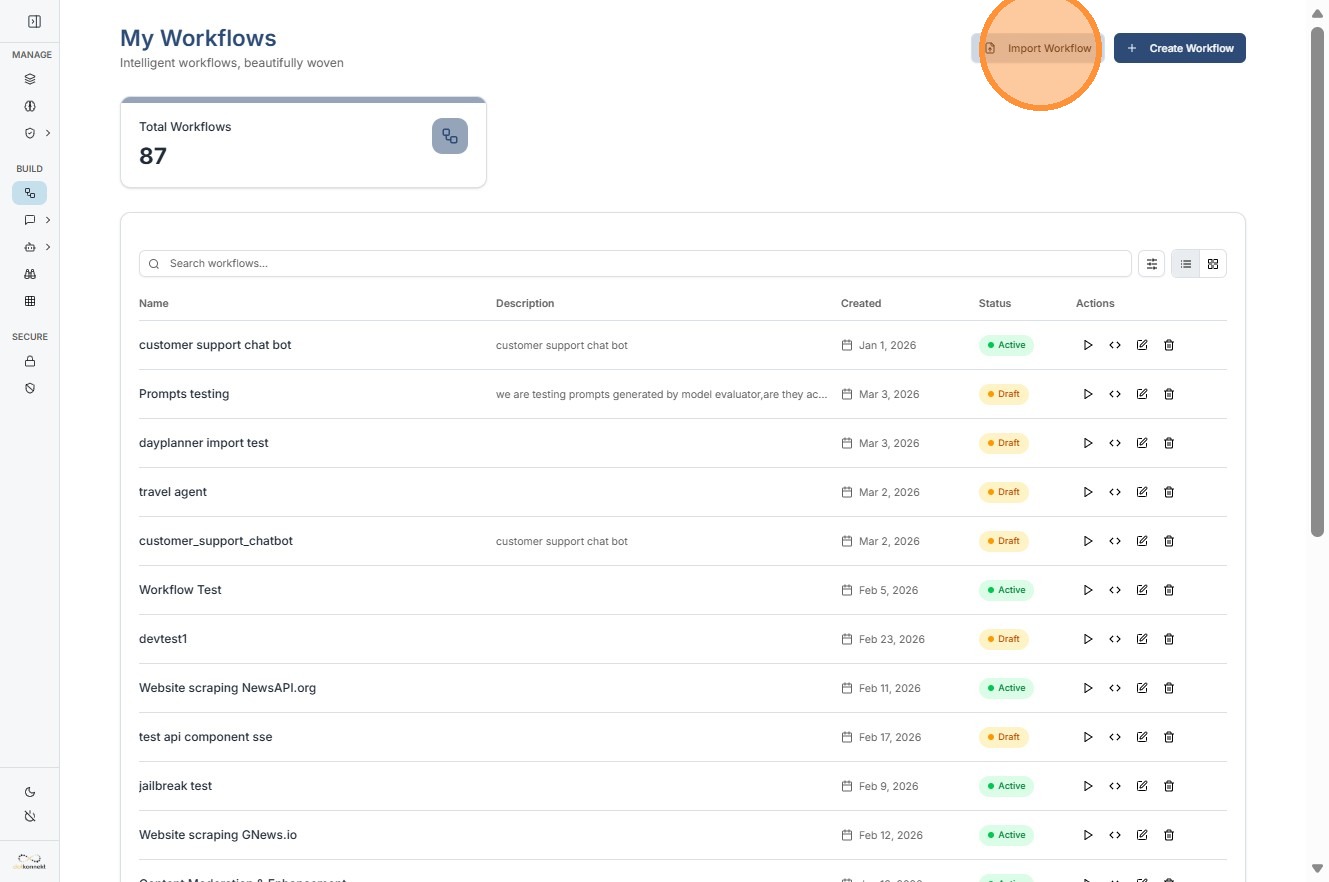
Use the Import feature to upload a .json file containing a pre-configured workflow structure.
- Open Import Menu: Click the primary action button in the top right corner and select "Import Workflow".
2.Enter Metadata: Provide a clear Name and Description for the workflow. This helps in searching for the component later in the main dashboard.
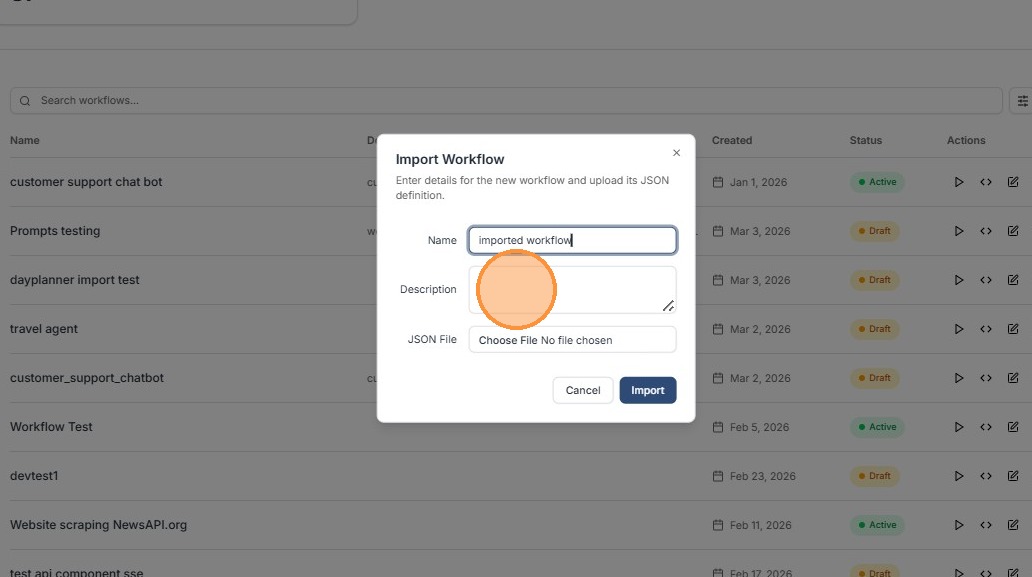
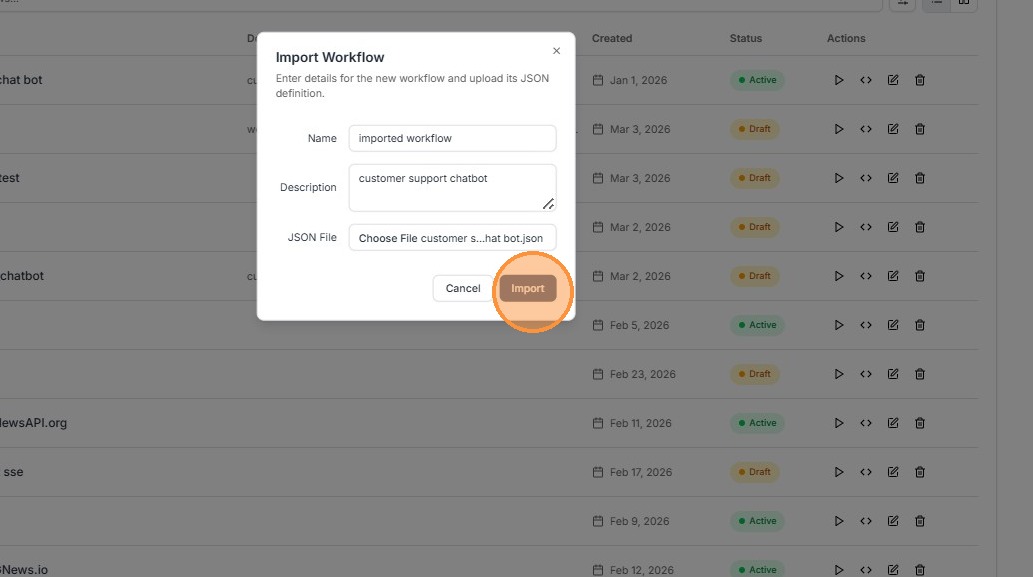
3.Upload JSON File: Click the "JSON File" upload area to select the configuration file from your local system.
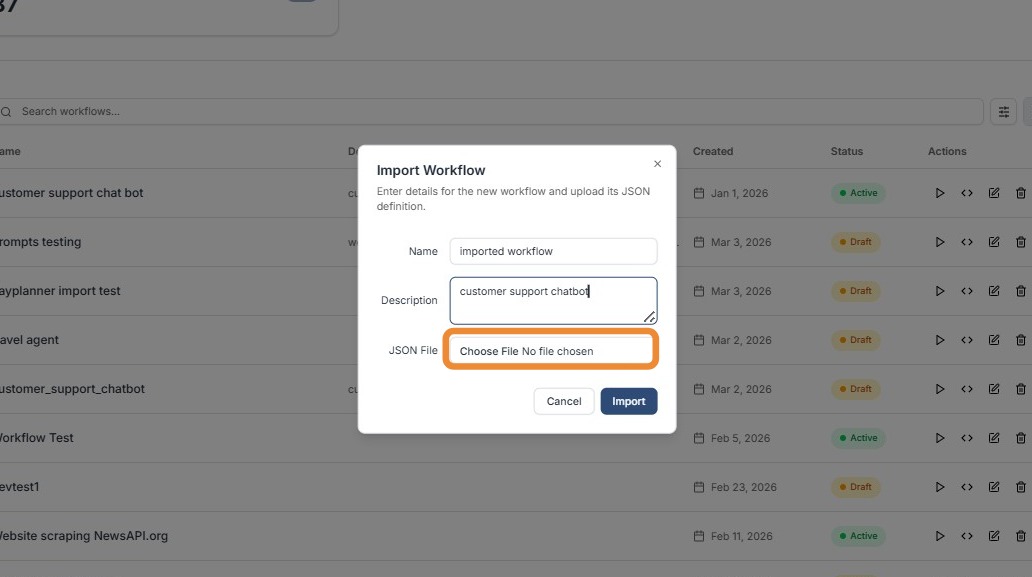
4.Finalize Import: Click the "Import" button to validate the file and add it to your workflow list.
Export a Workflow
Exporting allows you to download a technical snapshot of your workflow for backup or version control.
- Click Highlighted icon to Export Workflow.
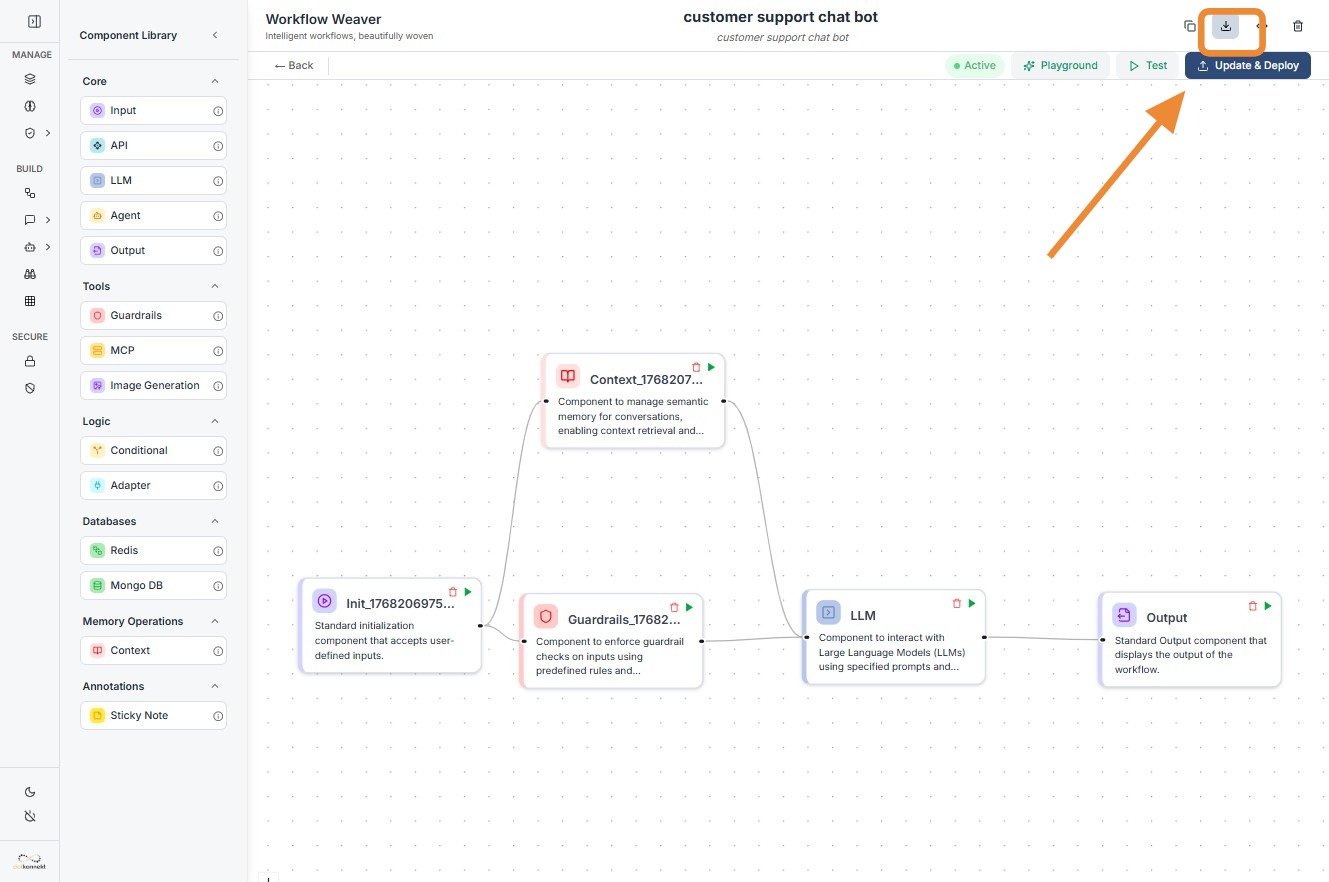
2.Download JSON: Select "Export JSON" from the dropdown. The platform will generate a file containing the node logic and immediately download it to your system.