Traces
Overview
The Traces component in Kompass provides complete visibility into how AI agents, workflows, prompts, and LLM calls execute inside the platform.
Why Traces Are Important for Enterprises
AI applications operate differently from traditional deterministic software. The output depends on model behavior, prompt structure, and contextual inputs.
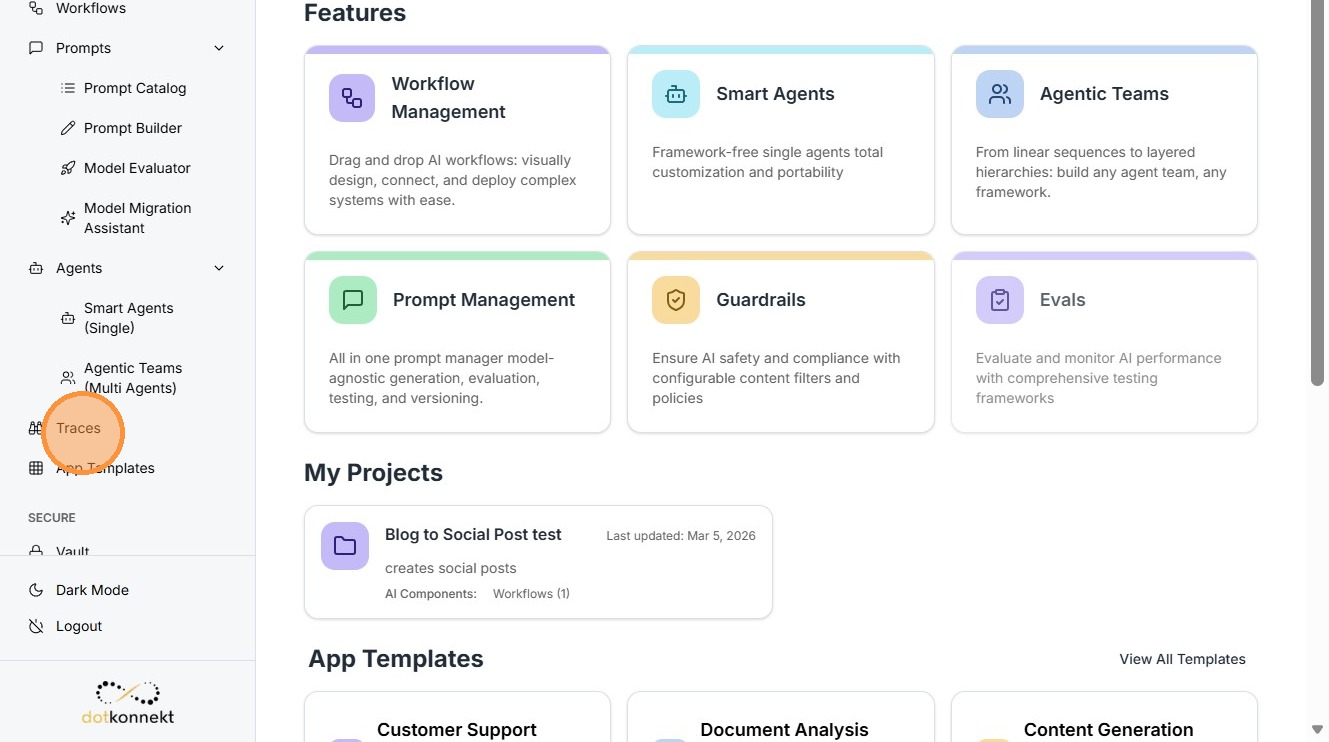
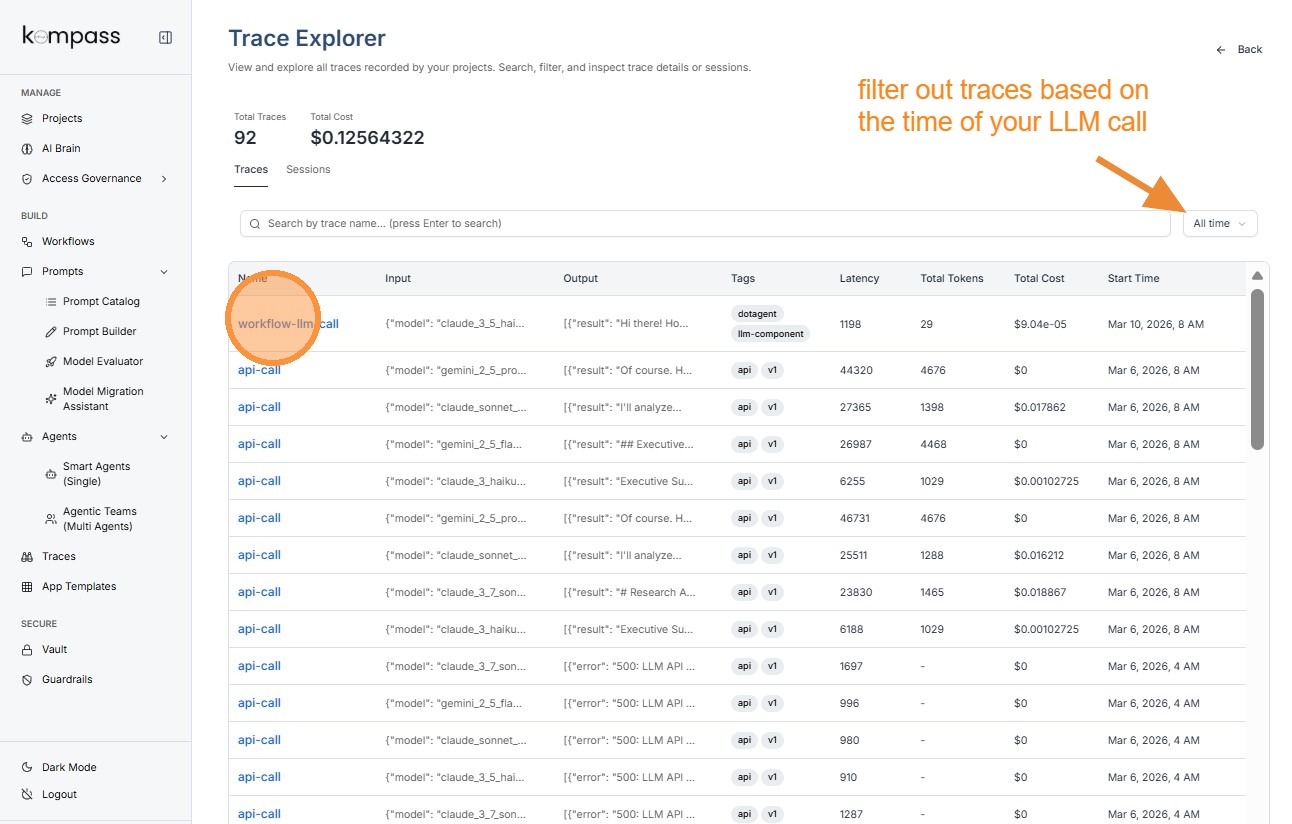
LLM Traces
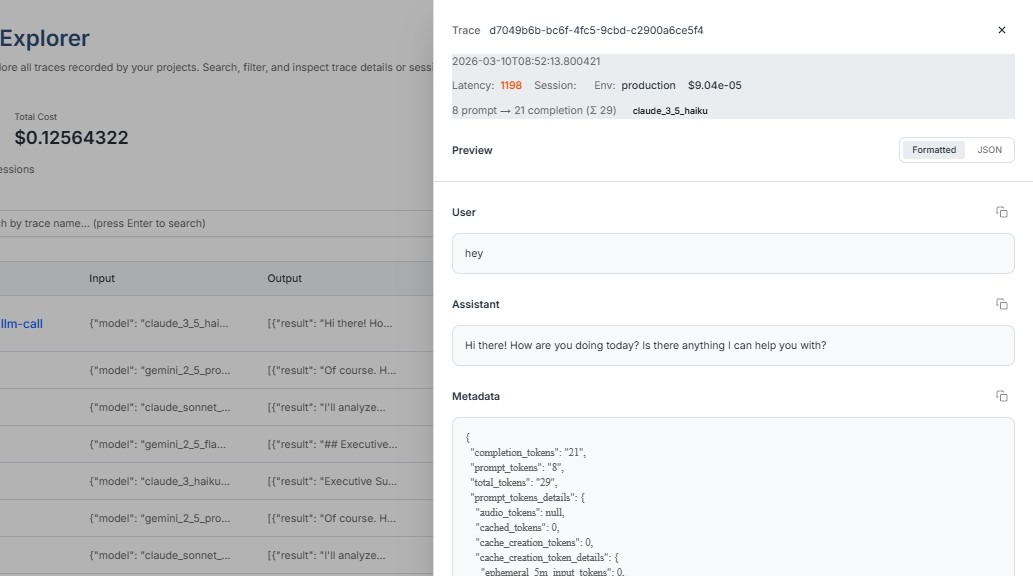
Click on the trace you want to inspect.
Tip: Latency
Latency represents the time taken by the language model to generate a response.
Example:
Latency: 1198 ms
This means the model took 1.198 seconds to return the response.
Prompt Traces
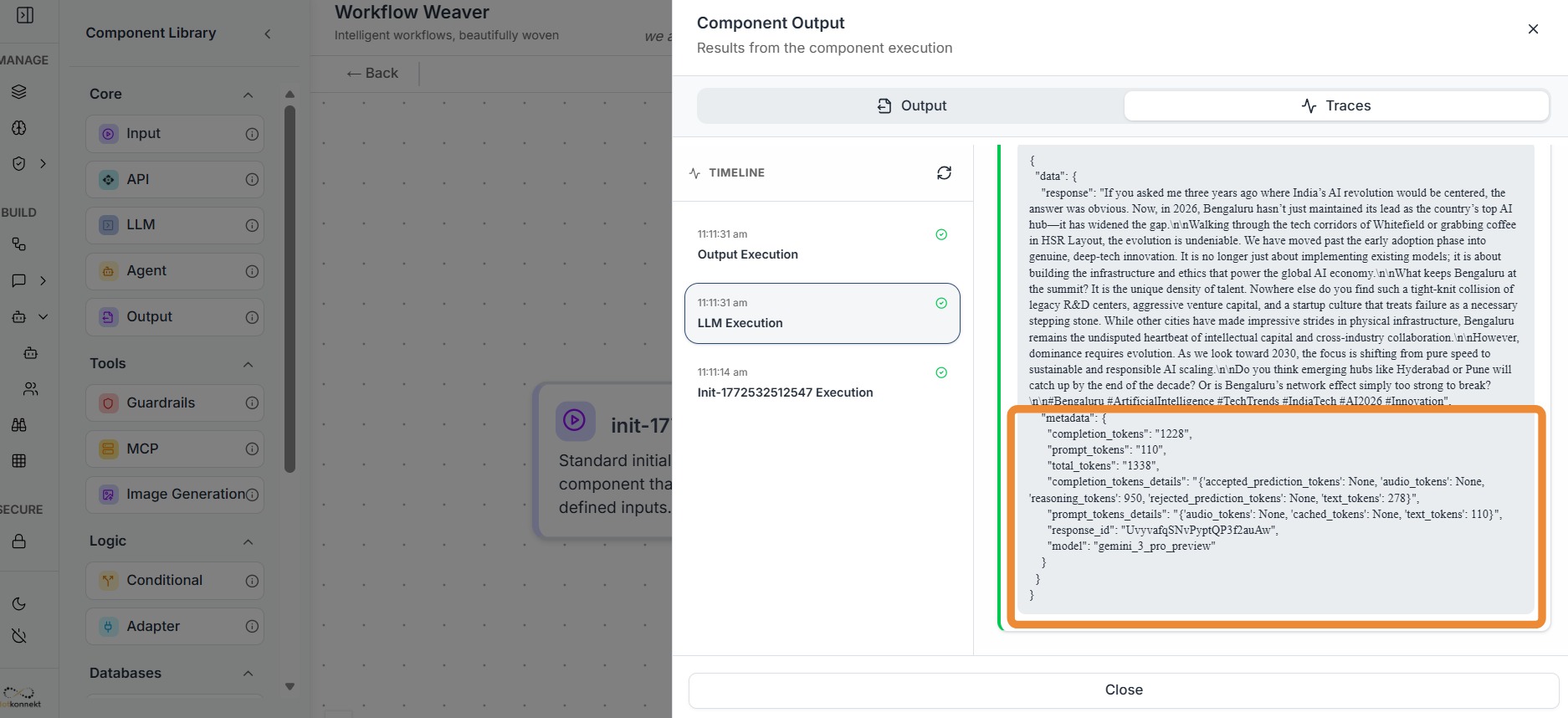
When Kompass records a Prompt Trace, it captures detailed metadata about the prompt sent to the language model and the response returned. This information helps teams understand how the prompt was processed by the model and how resources such as tokens were used.
Prompt Token Details
"prompt_tokens_details": "{'audio_tokens': None, 'cached_tokens': None, 'text_tokens': 110}"
This field provides a breakdown of the different types of tokens used in the prompt input. Tokens represent pieces of data that the language model processes when generating responses.
Each category helps identify what kind of content was included in the prompt.
Text Tokens
text_tokens: 110
Text tokens represent the number of tokens generated from text-based content in the prompt. This includes:
-
User input or query
-
Prompt templates
-
Instructions provided to the model
-
Any additional contextual text
Audio Tokens
audio_tokens: None
Audio tokens represent tokens generated when audio data is included in the prompt, such as speech inputs or voice recordings.
If audio inputs are used, this value would indicate how many tokens were consumed while processing the audio.
Cached Tokens
cached_tokens: None
Cached tokens represent tokens that were reused from previously processed context instead of being processed again.
Some language model systems support caching to improve efficiency by avoiding repeated processing of identical prompt segments.
Response ID
"response_id": "UvyvafqSNvPyptQP3f2auAw"
The Response ID is a unique identifier assigned to the output generated by the language model.
This ID helps track and reference a specific model response. It is useful when:
-
debugging unexpected outputs
-
auditing AI-generated responses
-
linking responses to logs or monitoring systems
Each LLM response generated during a workflow will have its own response ID.
Tip: When caching is enabled, cached tokens can help:
-
reduce processing time
-
lower token usage
-
decrease LLM cost
Understanding P, C, and T in Traces
When viewing a trace entry, you will often see metrics such as:
8 prompt → 21 completion (Σ 29)
These represent token usage metrics.
P — Prompt Tokens
Prompt tokens represent the number of tokens used in the input sent to the LLM.
This includes:
-
Prompt template
-
User query
-
System instructions
-
Context data
Higher prompt tokens usually mean:
-
More context provided to the model
-
Higher cost per request
C — Completion Tokens
Completion tokens represent the number of tokens generated by the LLM response.
These correspond to the model's output.
Longer outputs result in:
-
More completion tokens
-
Higher generation cost
-
Longer response times
T — Total Tokens
Total tokens represent the sum of prompt and completion tokens.
T = P + C
For example:
8 prompt → 21 completion (Σ 29)
This means:
-
Prompt tokens = 8
-
Completion tokens = 21
-
Total tokens = 29
This metric is important for enterprises because LLM providers charge based on token usage.
Tracing tokens helps organizations:
-
Monitor AI costs
-
Optimize prompt efficiency
-
Reduce unnecessary context.
Workflow Traces
Workflow Execution Trace Information
Workflow traces show how the entire AI workflow executed.
It provides Traces for all the components of the workflow in the form of Metadata.
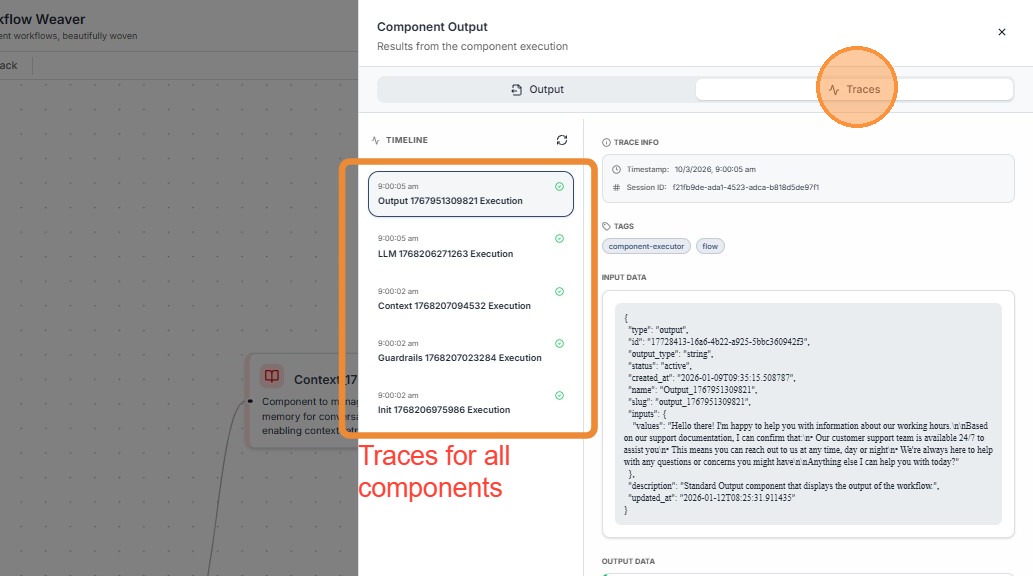
Tip: Why Trace Metadata Is Important
Trace metadata provides the context required to understand how an AI request was processed. While the AI response shows the final output, metadata explains how the system arrived at that output.
Metadata fields such as Trace ID, latency, tokens, cost, session information, and timestamps help teams monitor, debug, and optimize AI systems.
Agent Traces
Agent traces provide details about the AI agent that handled the request.
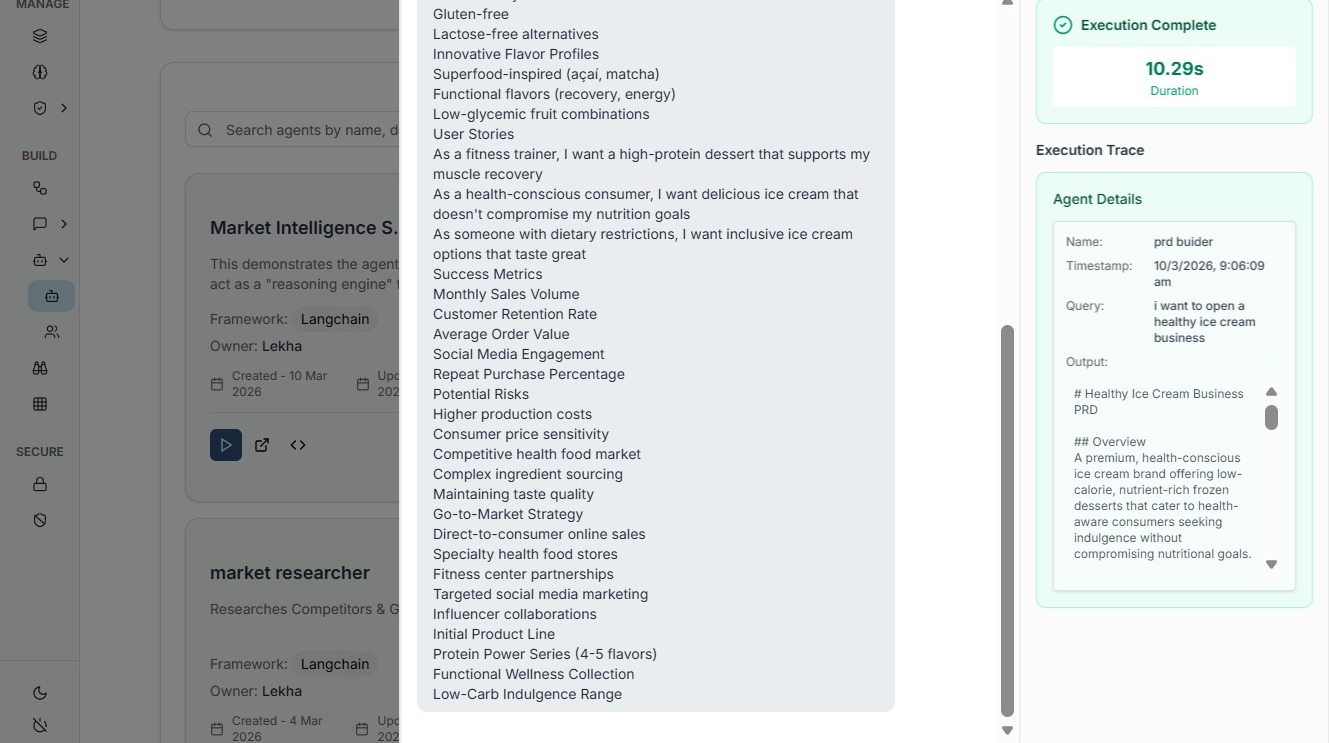
In enterprise AI systems where thousands of requests may be processed every day, trace metadata ensures that every AI interaction can be tracked, analyzed, and audited when necessary.
This level of visibility helps organizations maintain reliability, transparency, and operational control over their AI workflows.