Sticky Note
1. Component Intro
The Sticky Note Component is a specialized annotation tool designed for developer and user documentation within the workflow canvas. Unlike other nodes, the Sticky Note is purely cosmetic; it does not process data, execute logic, or connect to the workflow's functional graph. It serves as a visual guide or "comment block" to help teams understand the purpose of specific workflow segments.
Core JSON Structure
[[JSON]]
{
 "name": "Sticky Note",
 "type": "sticky_note",
 "description": "Visual annotation only for canvas documentation.",
 "output_type": "string",
 "inputs": {
  "text": "This note provides context for the following logic branch."
 }
}
2. Where to Use It
-
Workflow Documentation: Explaining the business logic behind a complex set of Conditional or Adapter nodes.
-
Collaboration: Leaving notes for teammates regarding pending updates, API key requirements, or specific edge cases.
-
Onboarding: Providing instructions for new users on how to interact with the playground or test the workflow.
-
Troubleshooting: Highlighting areas of a draft workflow that are currently under development or require debugging.
3. How to Initialize
-
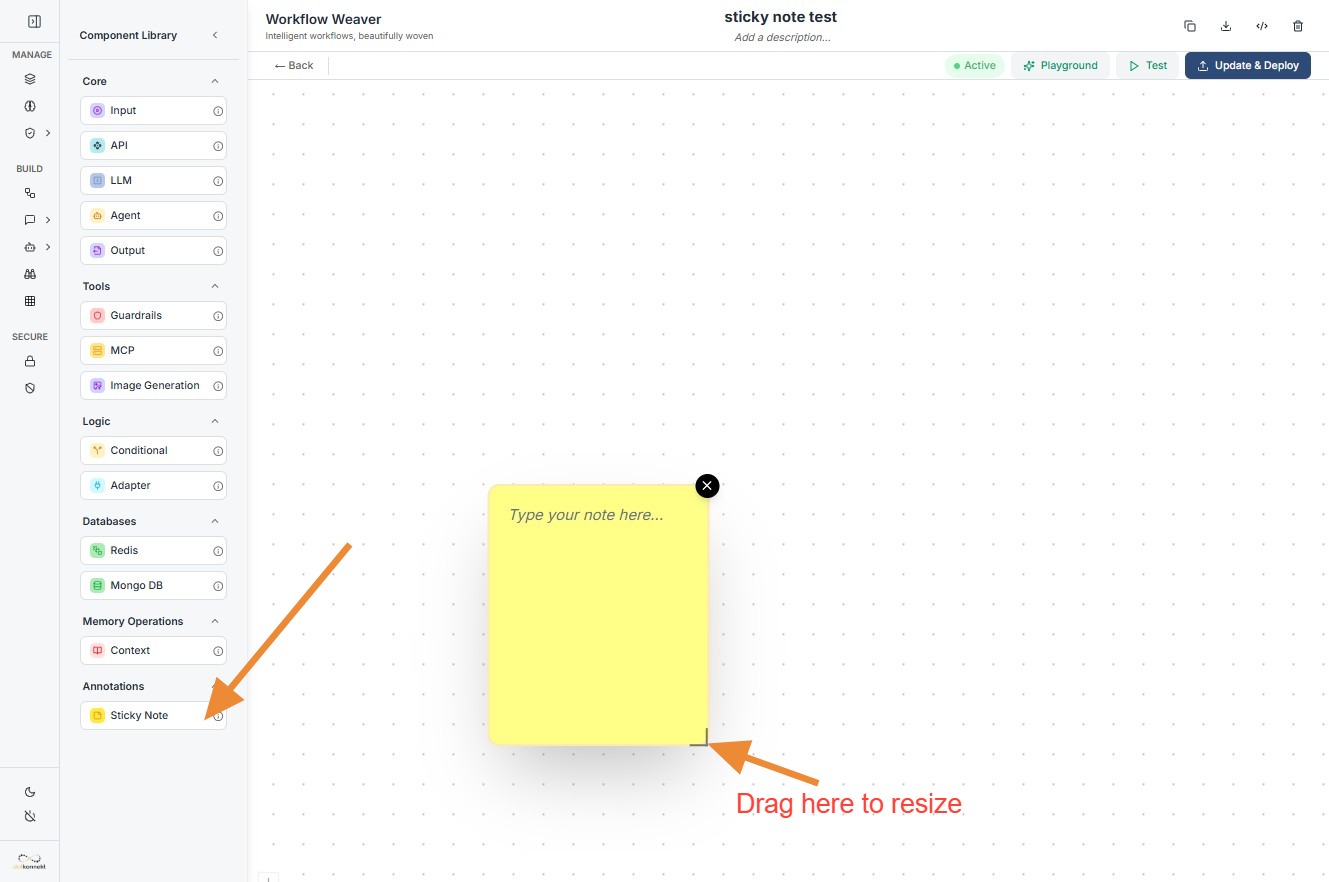
Add Component: Drag the
Sticky Notefrom the Annotations section of the library onto the canvas. -
Add Content: Click inside the yellow area to type your documentation or notes directly.
-
Adjust Layout: To adjust the viewing area, drag the bottom-right corner of the note to resize it.
Sticky Note