Output Node
Output Component
1. Component Introduction
The Output Component represents the final node of a workflow where the processed result is displayed or returned to the user or calling system. It collects the result generated by upstream components—such as LLMs, APIs, agents, or adapters—and presents it as the final output of the workflow execution.
Unlike other components that process or transform data, the Output Component’s primary role is to deliver the result generated during the workflow pipeline.
This component typically references the output from another component using its componentID or output variable.
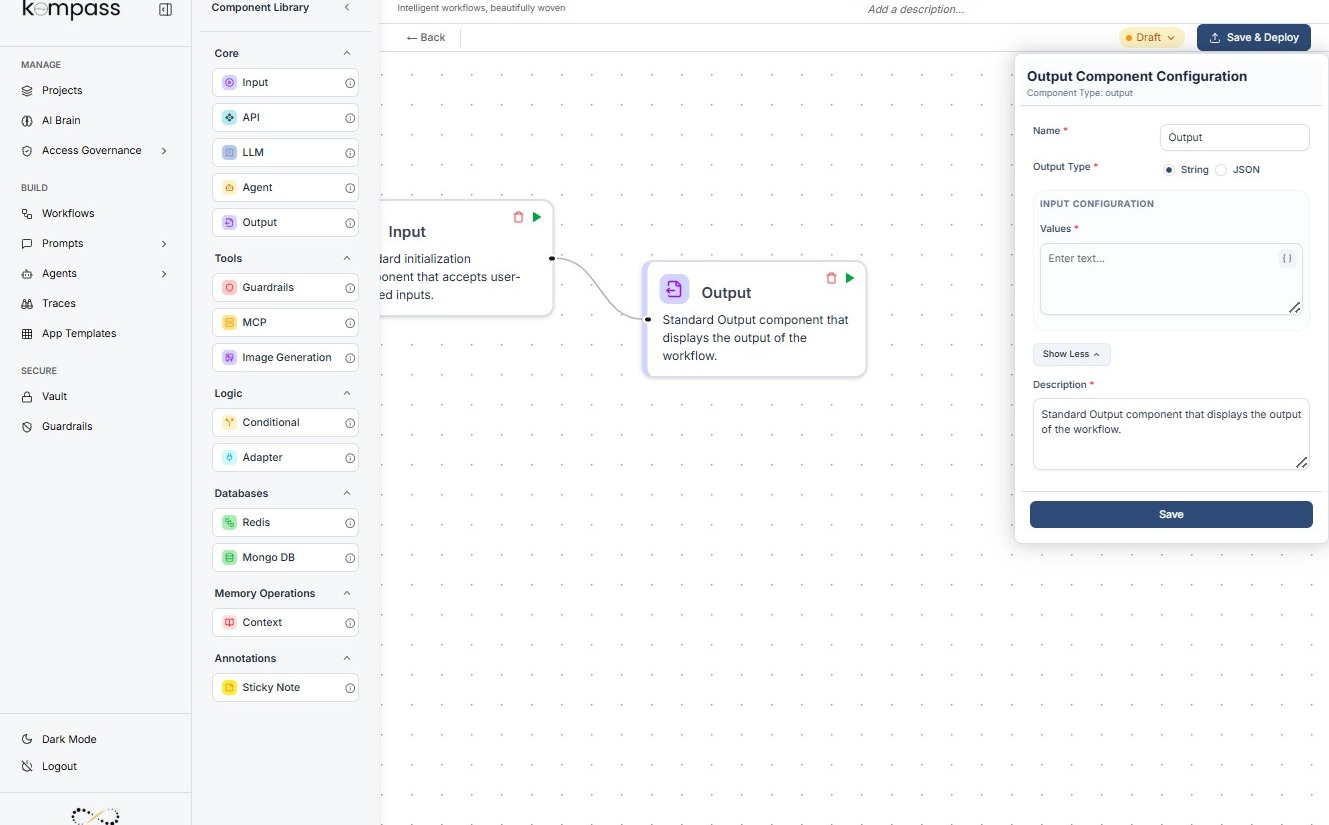
Technical Specification
JSON Structure
{
 "name": "Output Component",
 "type": "output",
 "description": "Display final result",
 "output_type": "string",
 "inputs": {
   "values": "Hello, how are you?"
 }
}
Explanation
-
name – The name assigned to the component.
-
type – Defines the component as an
outputnode. -
description – Explains the purpose of the component.
-
output_type – Defines the data type returned as the final output.
-
inputs.values – Contains the result received from another component.
In most workflows, this field references the output from another node.
Example
{{llm_component.output}}
This indicates that the Output Component will display the result produced by the LLM component.
2. Where to Use It
The Output Component should be used at the end of every workflow to display the final processed result.
Common use cases include:
-
Displaying AI-generated responses to users
-
Returning processed data from APIs
-
Showing generated content such as text, summaries, or recommendations
-
Delivering results from multi-step AI workflows
Example
In a content generation workflow, the Output Component might display:
-
the final product description generated by the LLM
-
the validated content after agent review
-
formatted marketing copy ready for publishing
3. How to Initialize
To configure the Output Component in a workflow:
-
Drag the Output Component from the Component Library onto the workflow canvas.
-
Place it at the end of the workflow pipeline.
-
Open the component configuration panel.
-
In the values field, reference the output from a previous component.
-
Ensure the referenced component produces the correct output type.
-
Connect the input node of the Output Component to the component generating the final result.
Once connected, the workflow will display or return the referenced output when execution completes.
4. Dos and Don'ts
Do
-
Always place the Output Component at the end of the workflow.
-
Ensure it references the correct component output variable.
-
Verify that the output type matches the expected format.
-
Use descriptive references so the output source is clear.
Don't
-
Do not add any components after the Output Component.
-
Do not leave the values field empty.
-
Avoid referencing components that do not produce outputs.
-
Do not use the Output Component for data processing or transformation.
Component Restrictions
-
Must have an input node.
-
Must not have an output node.
-
Accepts input from another component and only displays the final result.