Vault
The Vault is the high-security core of the Kompass platform. It is designed to centralize and protect your sensitive data, such as API keys, database credentials, and global variables. By using the Vault, you ensure that secrets are never hardcoded into workflows, making your AI infrastructure more secure and easier to manage.
Accessing the Vault
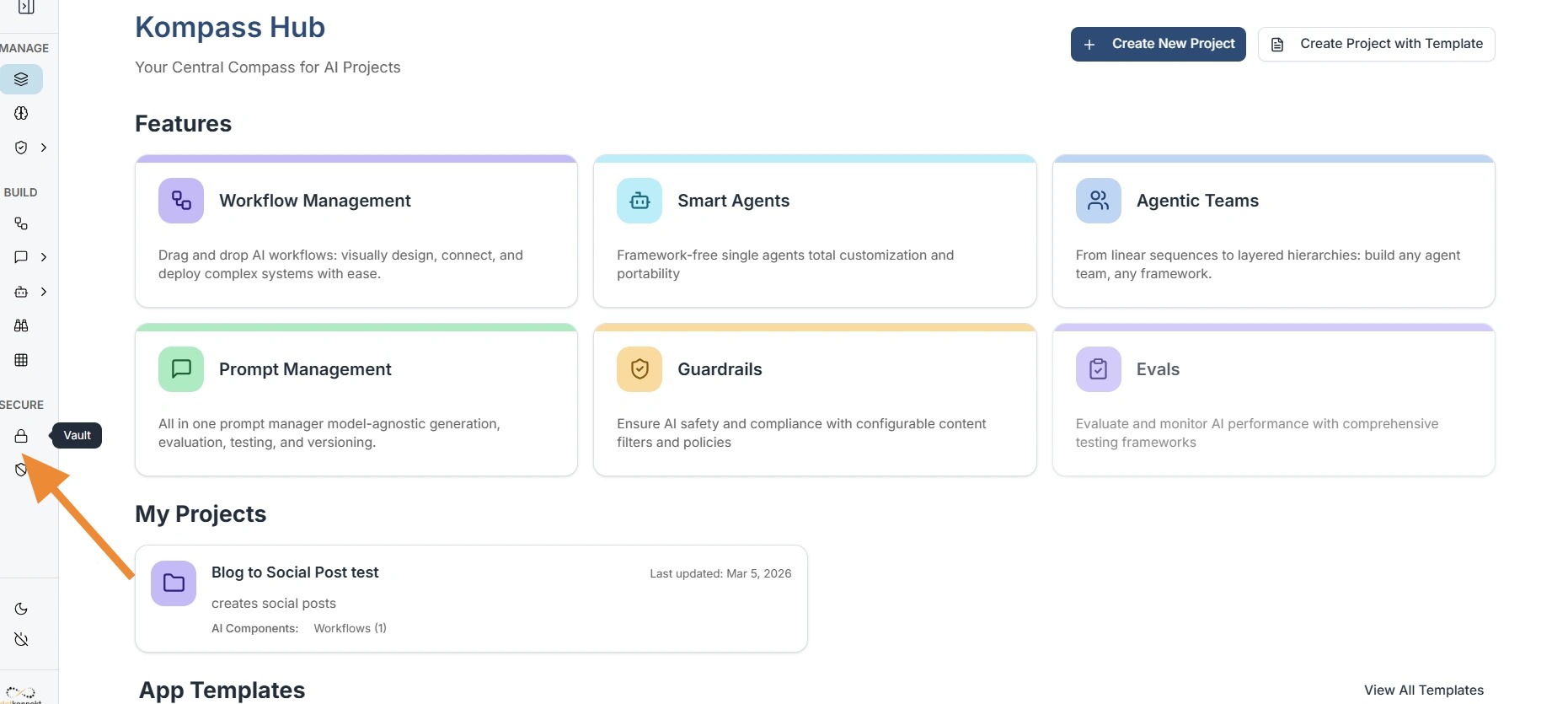
To manage your secrets, navigate to the Secure section on the main sidebar. Clicking the Vault (Lock icon) takes you to the central management interface where all your third-party integrations and custom secrets reside.
Managing LLM Providers (Models)
Kompass allows you to connect multiple LLM providers (OpenAI, Anthropic, etc.) so they can be used across any workflow.
-
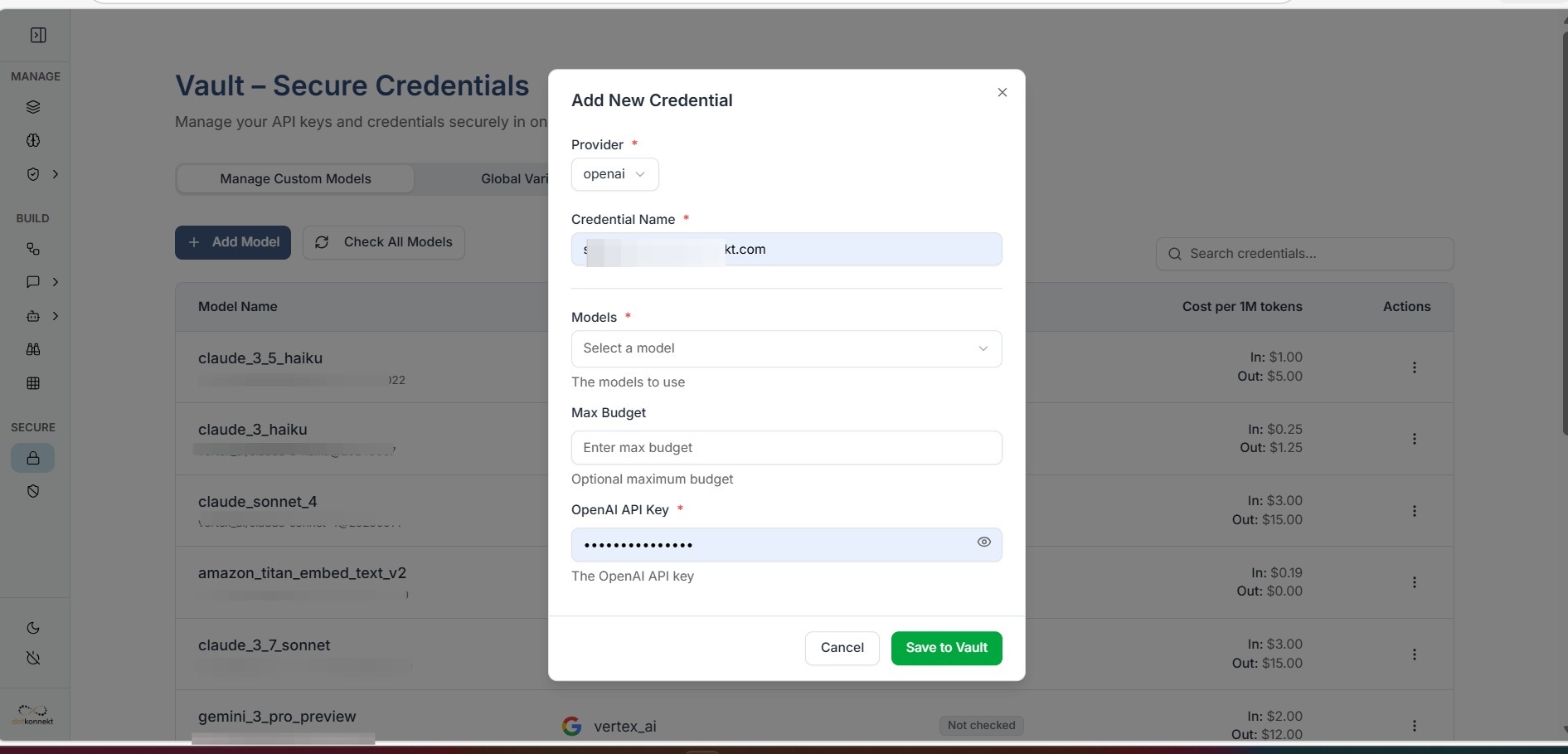
Add Model: Click the "Add Model" button to start a new integration.
-
Model Selection: You can choose to enable specific models (like
gpt-4o) or click "Check All Models" to make the entire suite available to your Workflow Weaver nodes.
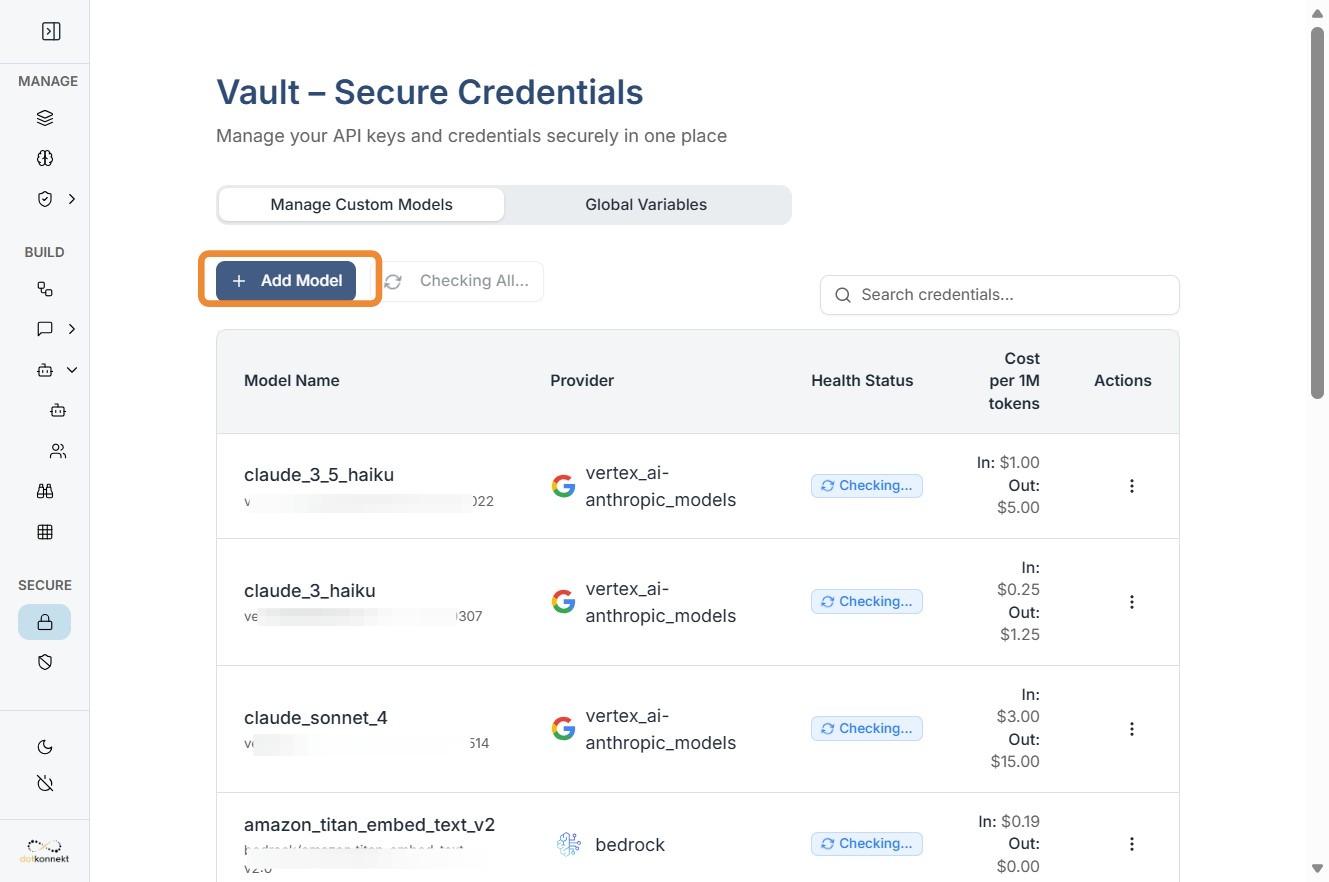
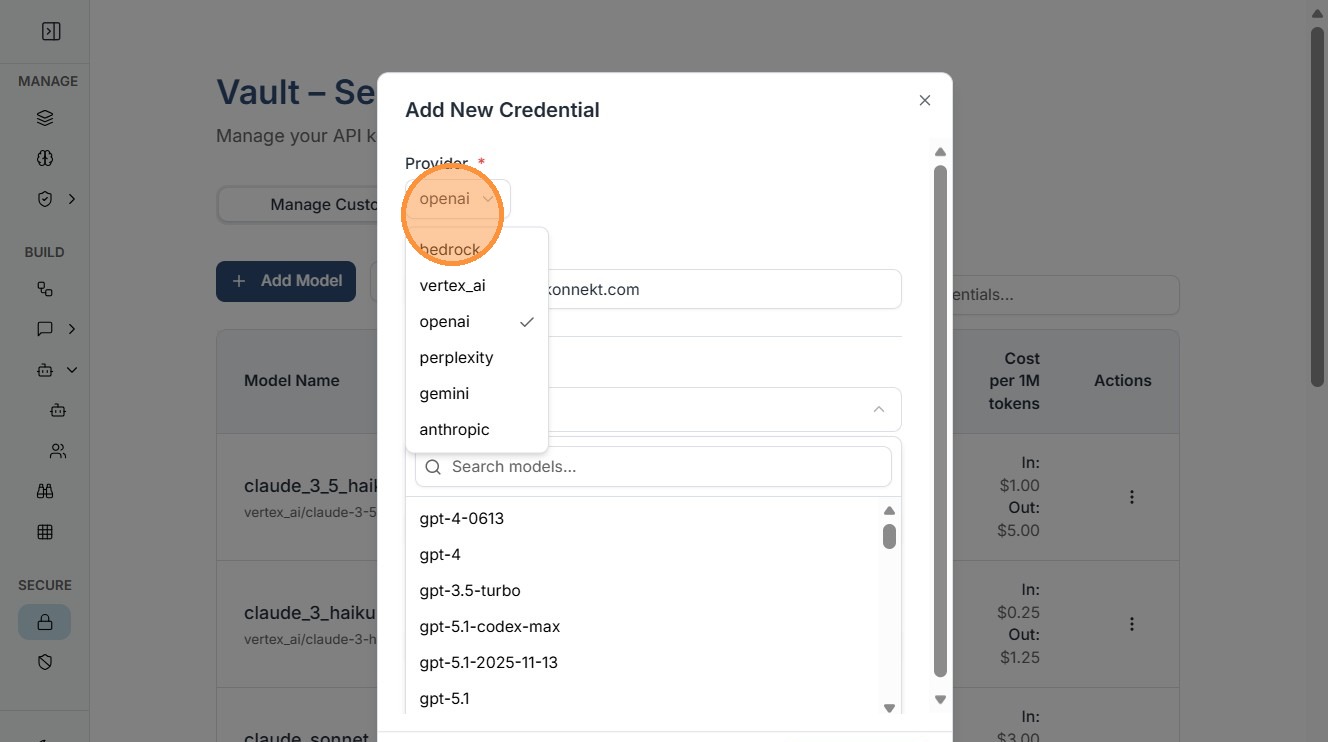
Select Provider: Choose your provider (e.g., OpenAI). This opens a specialized configuration panel designed for that specific API's requirements.
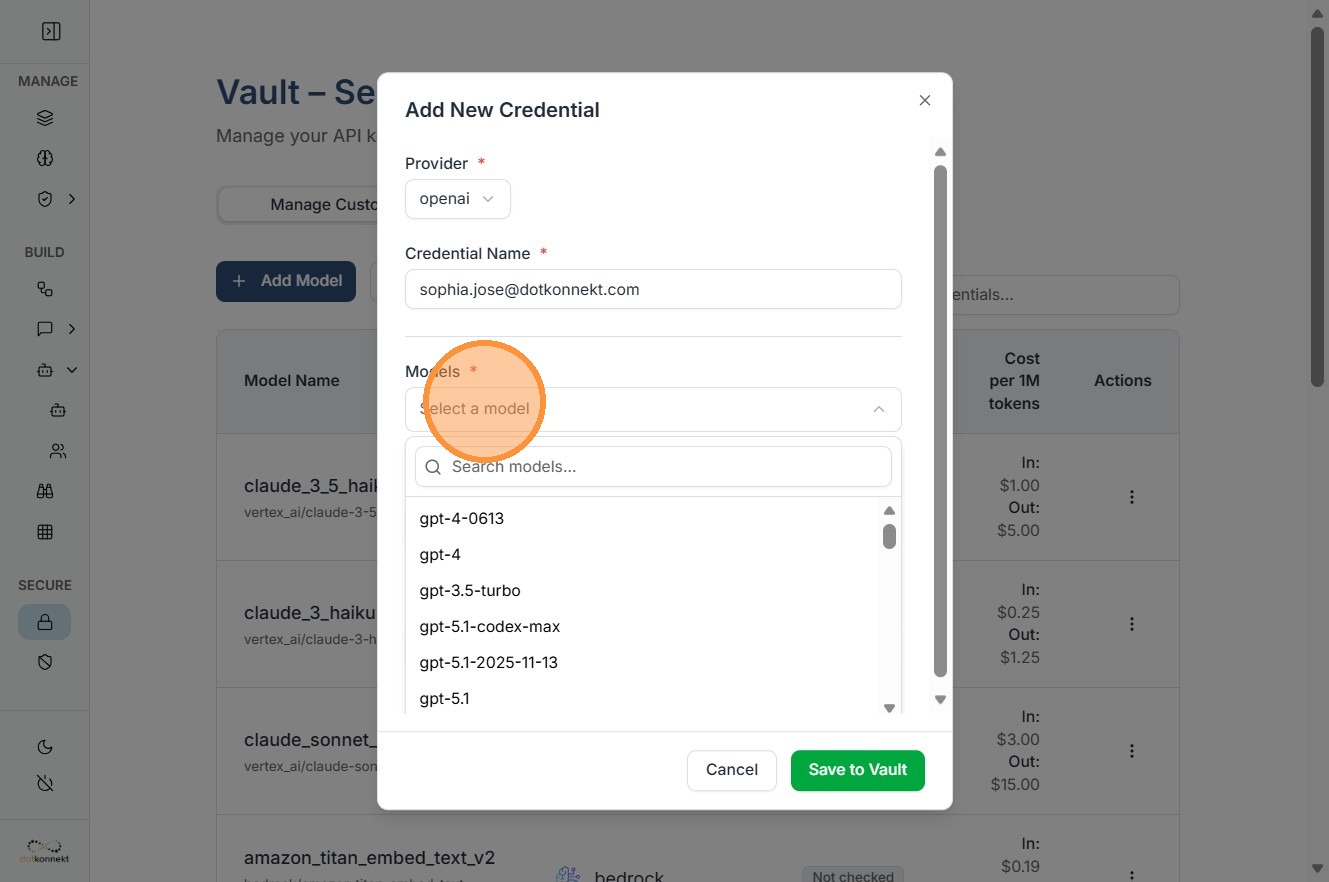
Model Selection: You can choose to enable specific models (like gpt-4o) or click "Check All Models" to make the entire suite available to your Workflow Weaver nodes.
Provide Credential Name ,Max Budgets and API Keys finally click "Save to Vault".
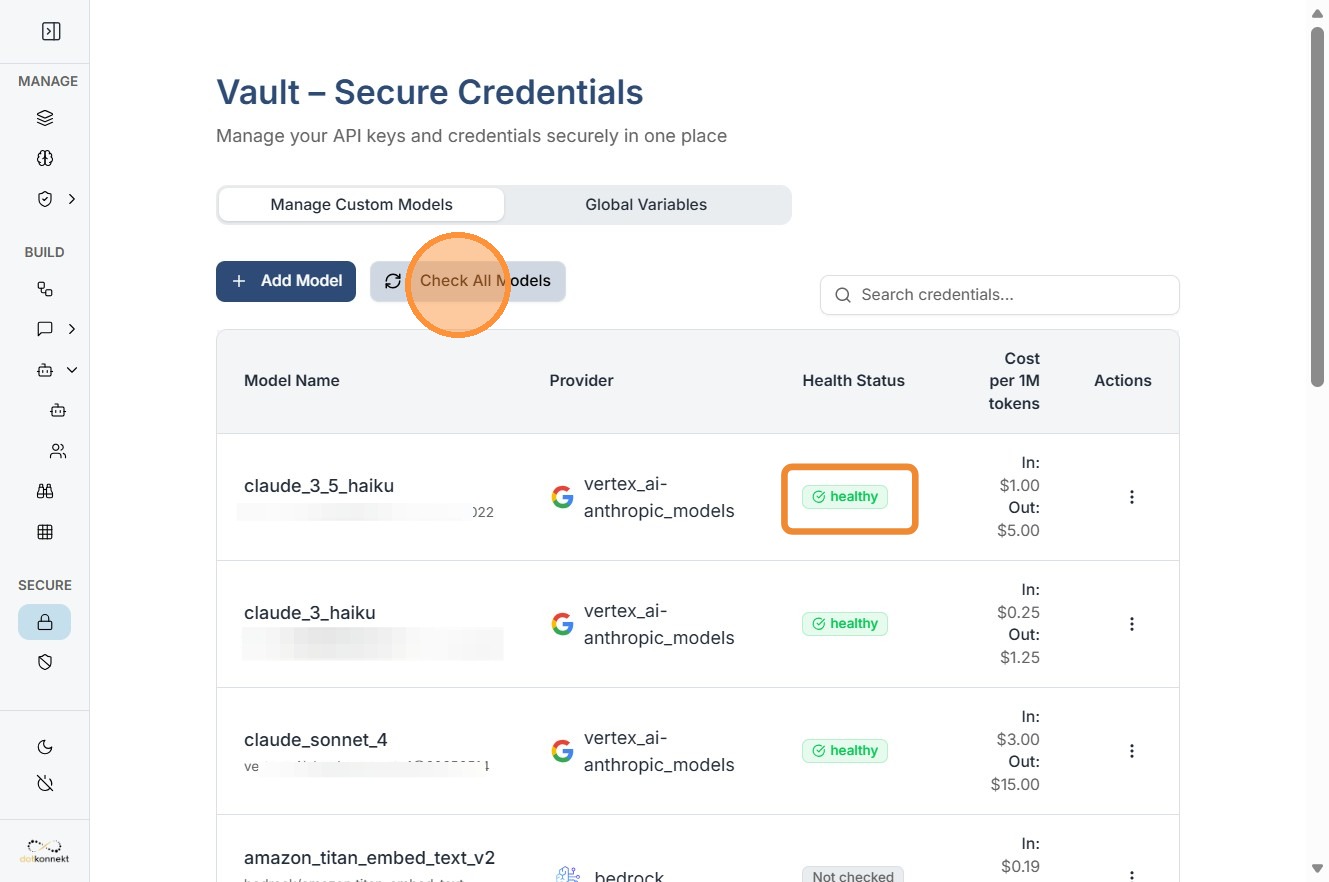
Health check of all Models
By clicking "Check All Models" , health status of all models will be checked at once.
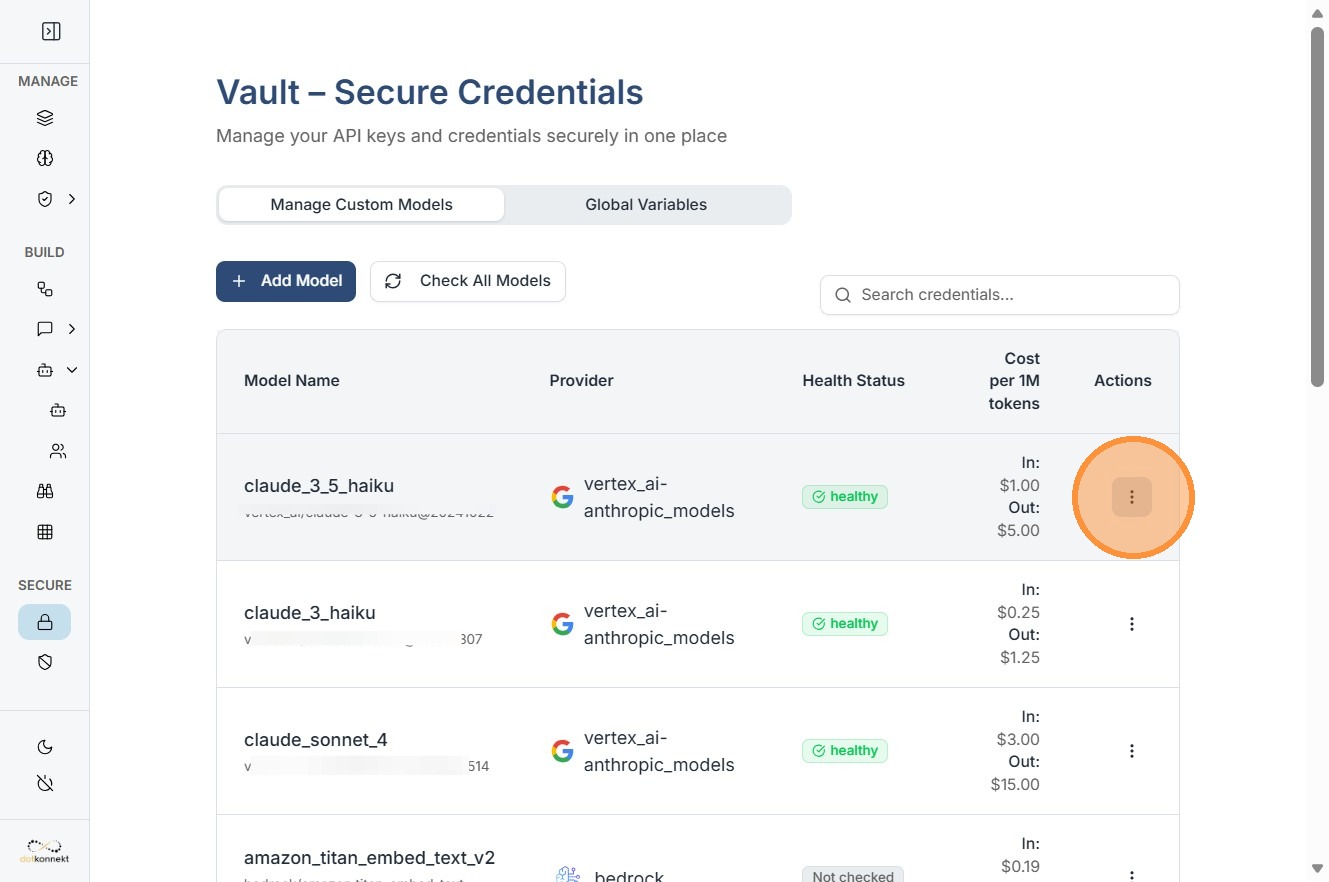
You can Edit, Delete or test connection of single Model from here.
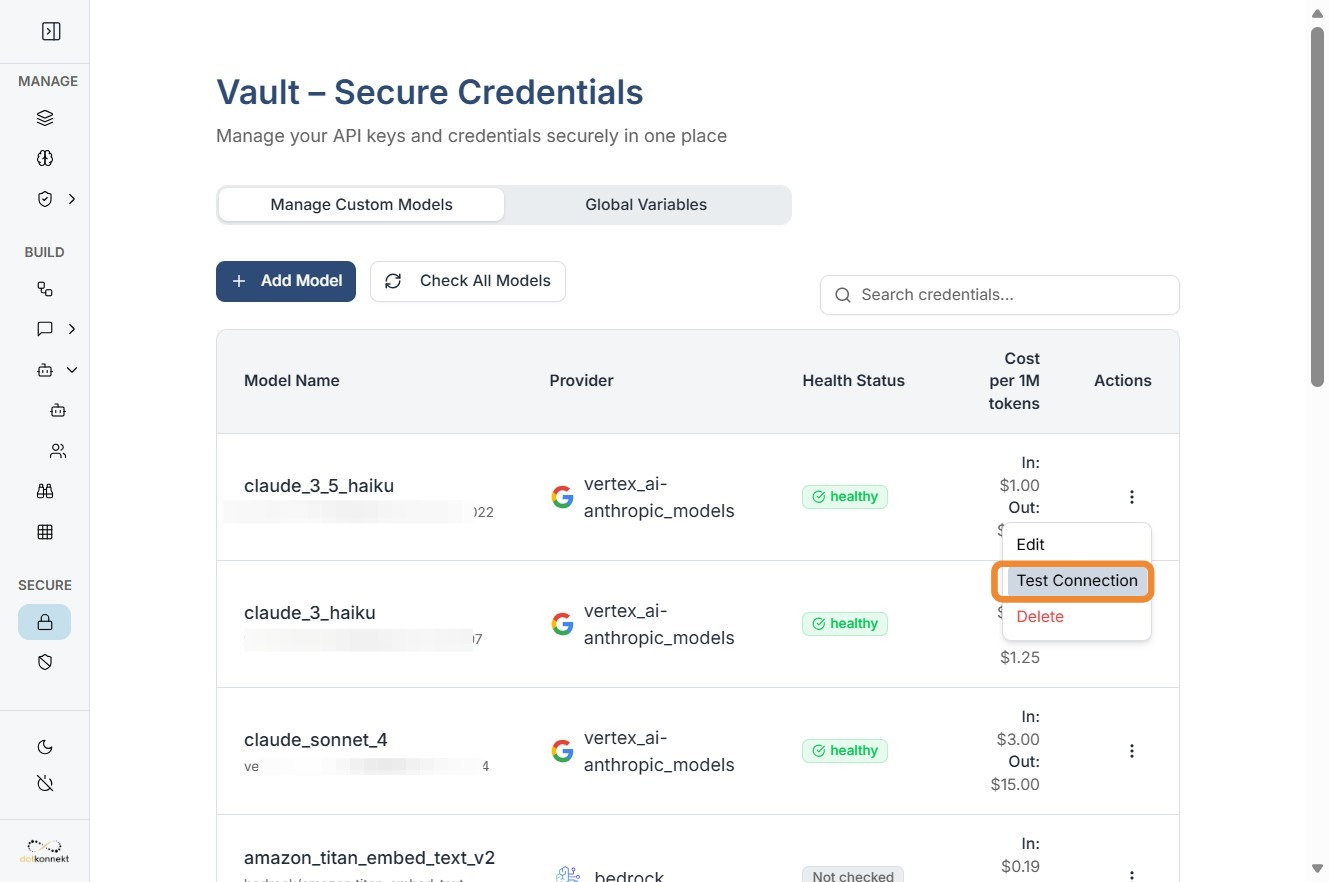
Test Connection: After entering your API key, click "Test Connection". The system will perform a handshake with the provider (e.g., OpenAI) and return a success message if the key is valid and has the correct permissions.
Global Variables & Custom Credentials
Beyond LLMs, the Vault handles custom secrets like database passwords or internal API tokens.
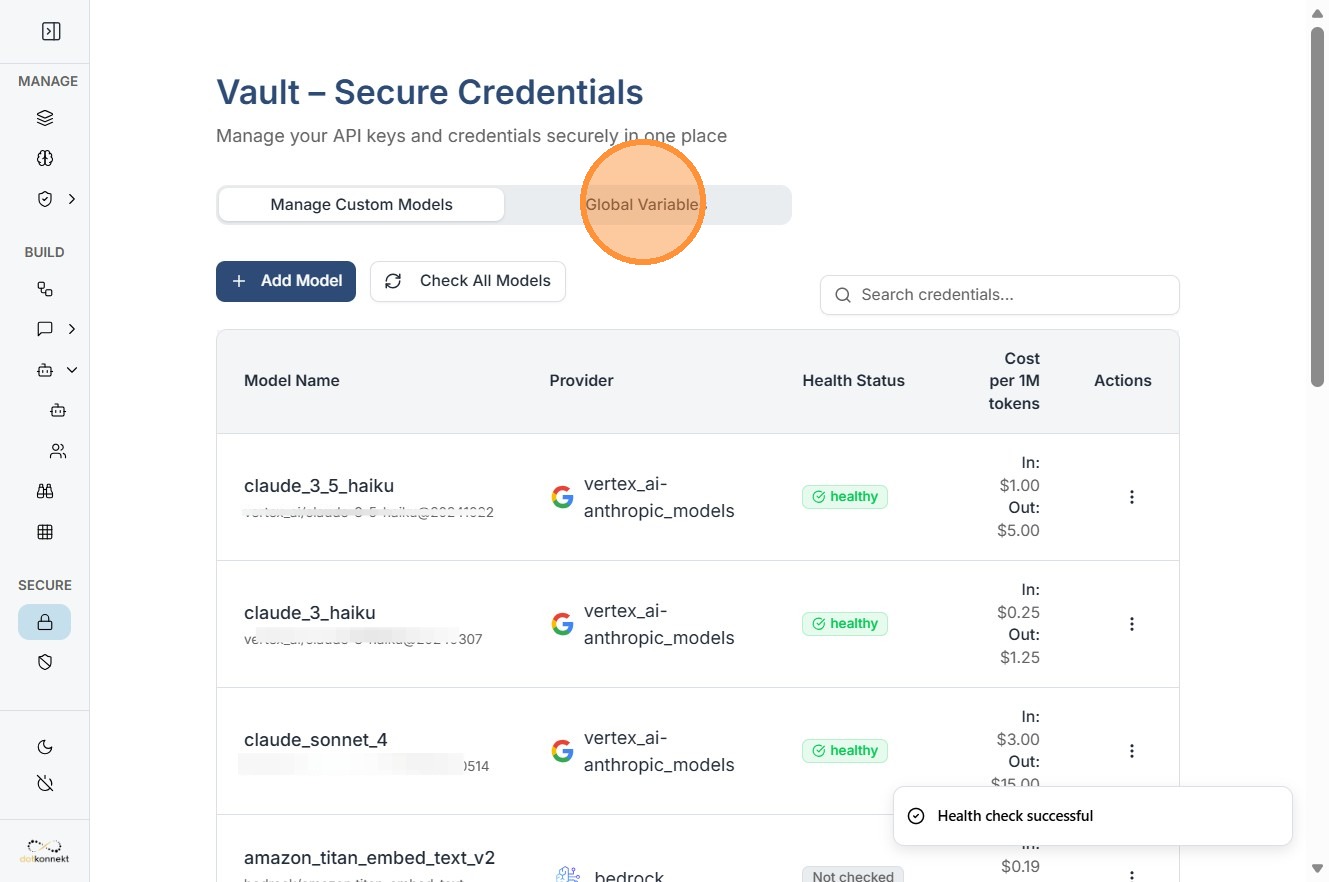
Global Variables Tab: This section allows you to define key-value pairs that can be referenced globally across all workflows using the {{vault.variable_name}} syntax.
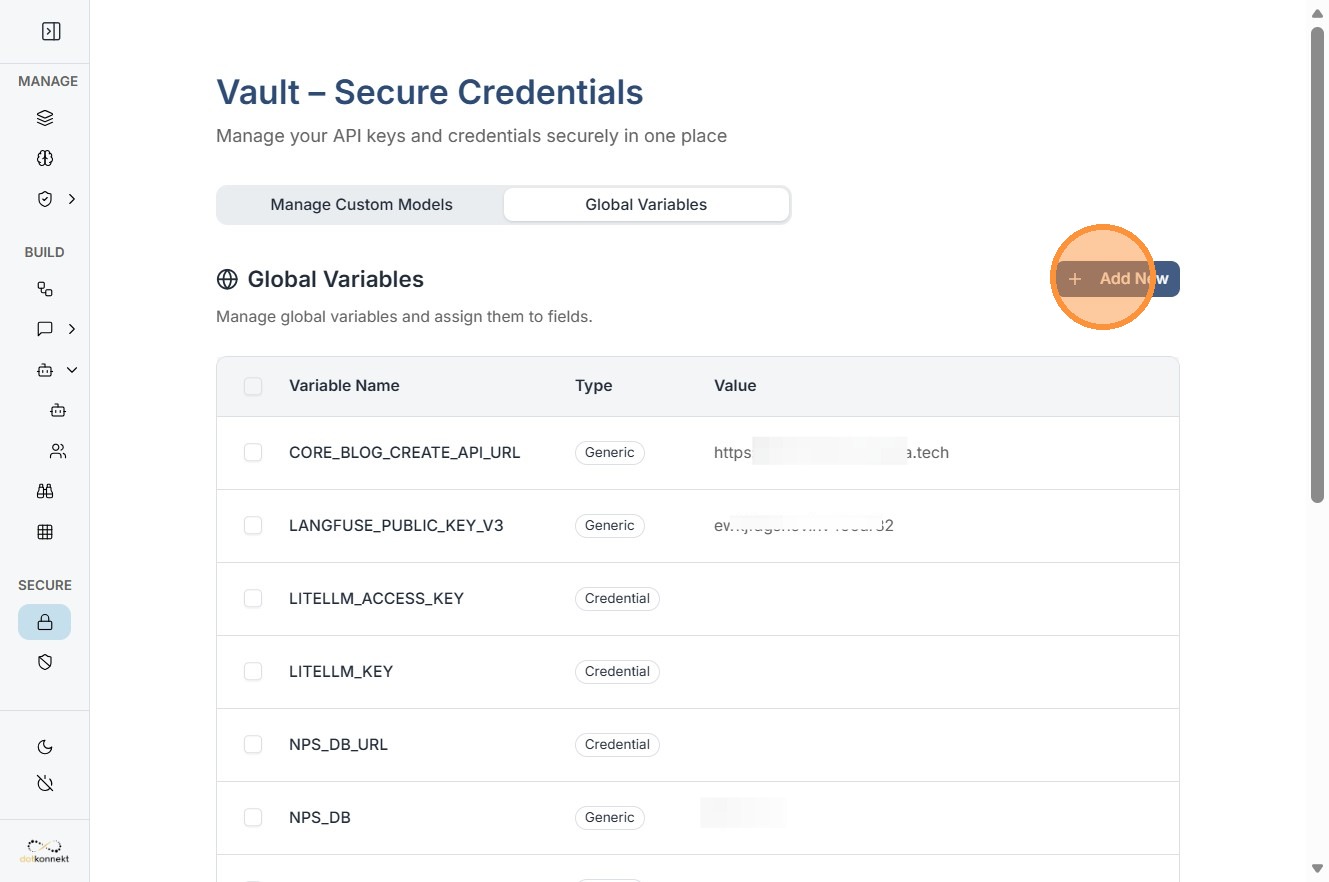
Add New Credential: Use the "Add New" button and select "Credential" to store non-LLM secrets such as:
-
MongoDB Connection Strings
-
Redis Passwords
-
Custom Tool API Keys (e.g., Tavily, Slack, or Google Search)
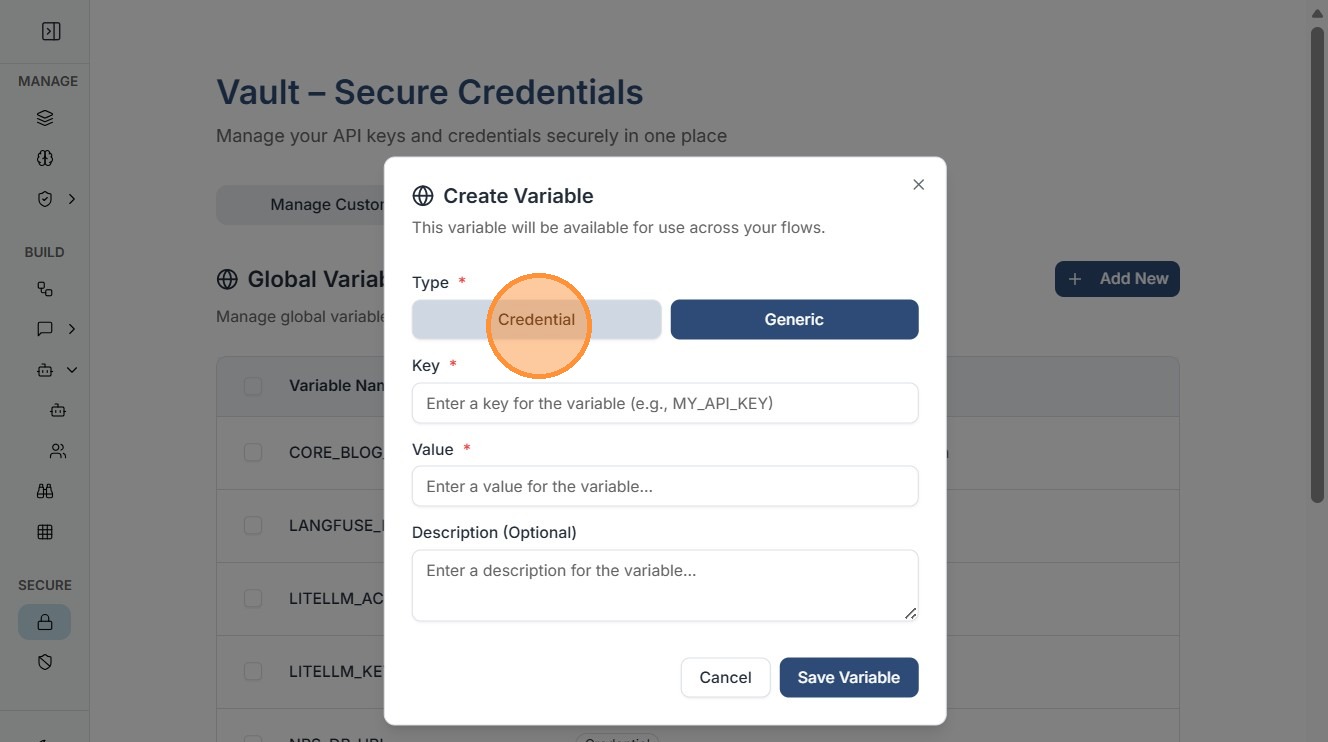
Tip: The difference between Generic Variables and Credentials is of visibility: Generic values are visible to all Vault users, whereas Credentials are masked and can only be unmasked/viewed by a Super Admin, though both can be used by all authorized users within workflows via variable mapping.