How to Evaluate and Compare AI Agent Frameworks
The Framework Evaluation module in Kompass enables teams to systematically compare multiple AI agent frameworks (such as LangGraph, LangChain, CrewAI, etc.) using real test queries and AI-driven scoring.
This feature helps teams make data-driven decisions when selecting the most suitable framework for building and deploying AI workflows.
Why Framework Evaluation Matters
Choosing the right agent framework directly impacts:
- Execution performance (latency, response quality)
- Reasoning capability (multi-step tasks, agent coordination)
- Scalability (handling complex workflows)
- Cost efficiency (token usage, execution overhead)
What Kompass Does Under the Hood
- Runs the same test query across multiple frameworks
- Captures outputs from each framework
- Uses an LLM-based evaluator to:
- Compare responses
- Score quality
- Determine a winner based on reasoning and output relevance
This ensures objective, consistent, and repeatable evaluation
Step-by-Step Guide
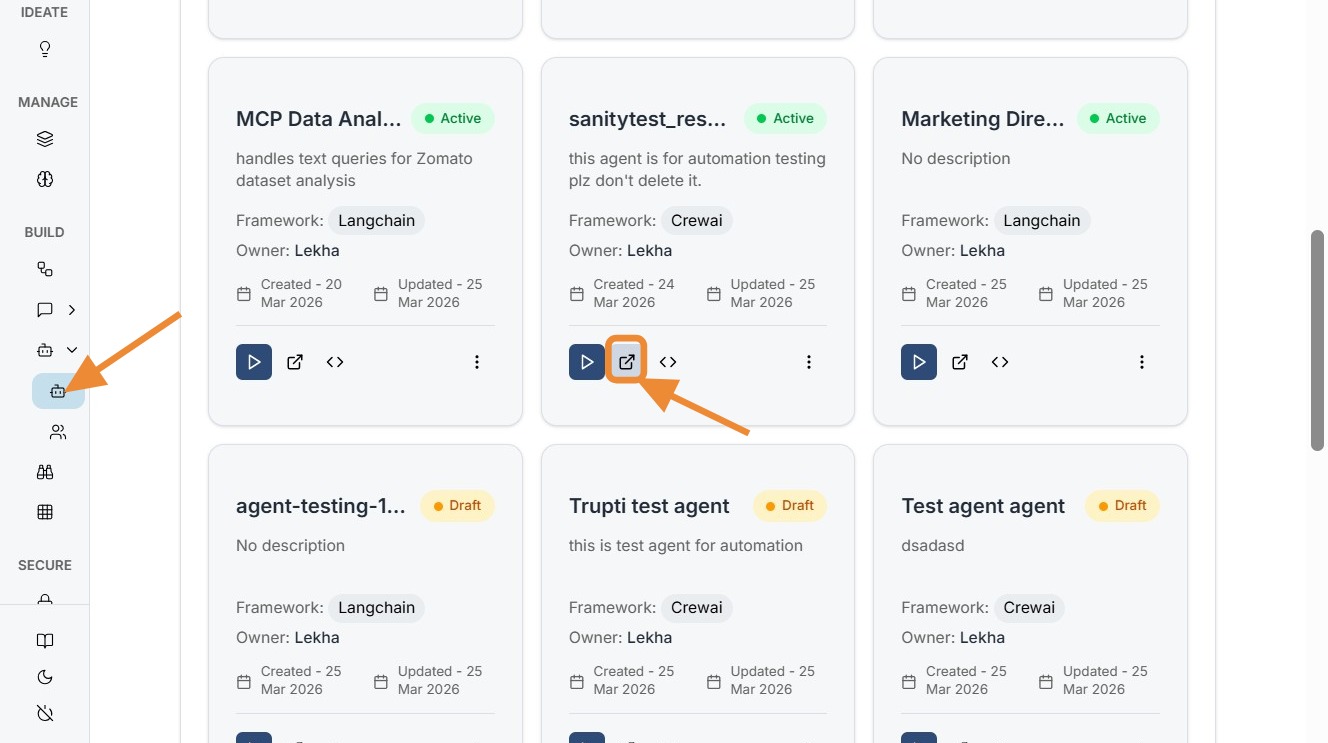
Navigate to Smart Agent listing page and click edit for the agent you want framework evaluated for.
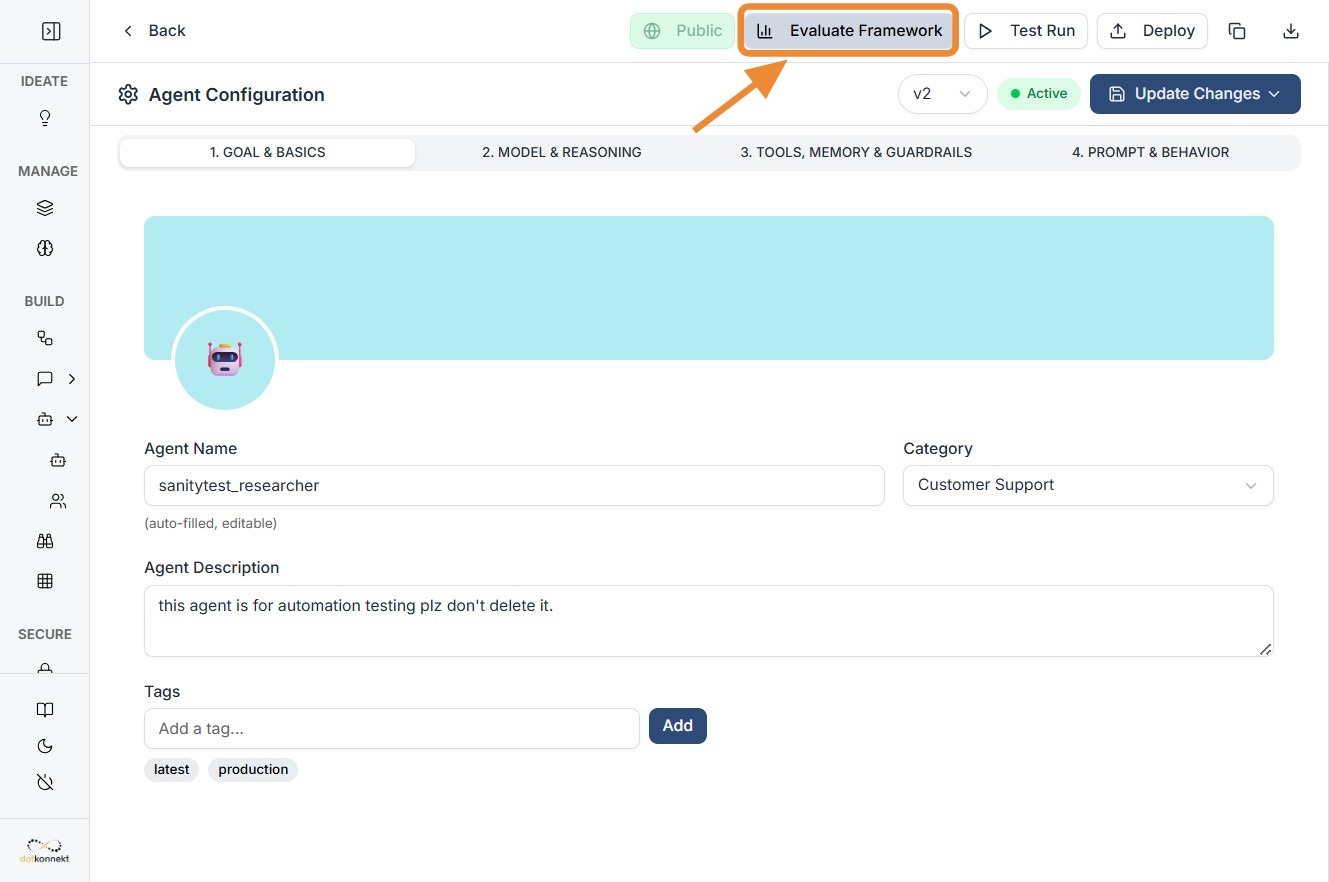
Click "Evaluate Framework"
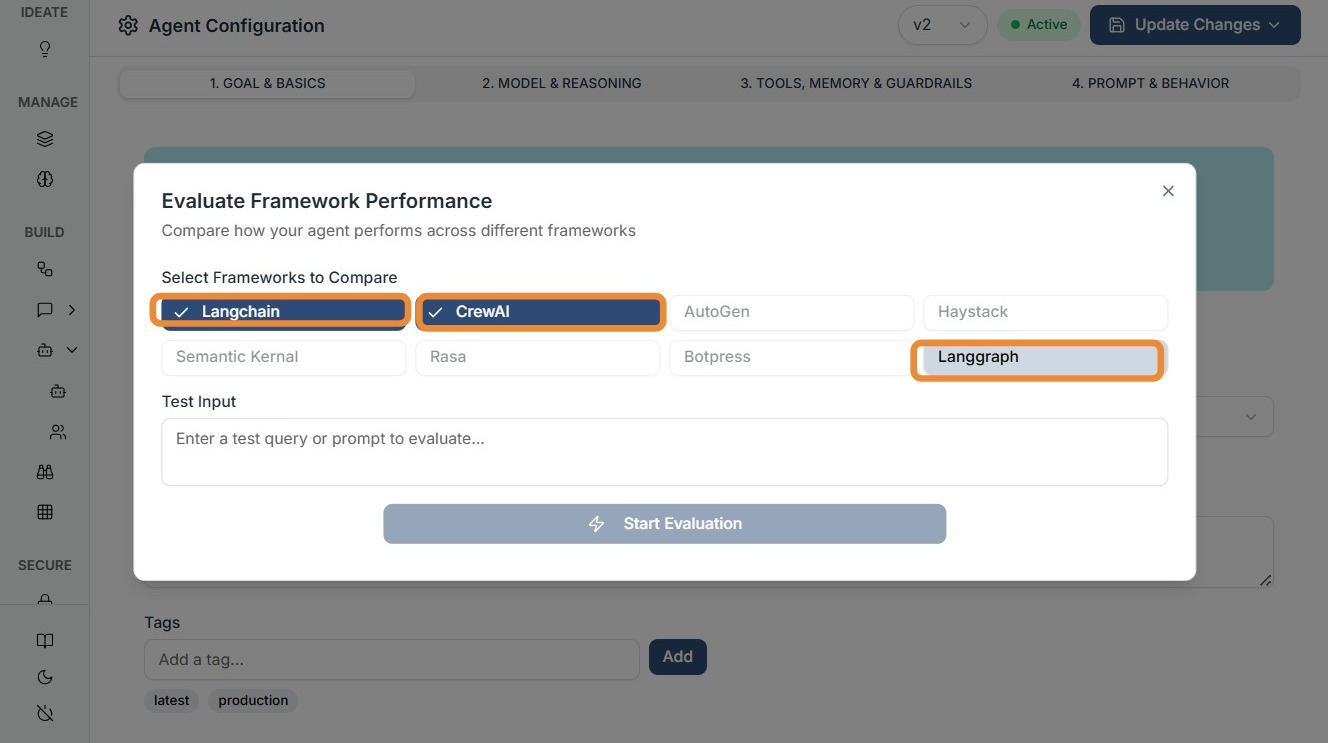
Click all the frameworks you want to be compared.
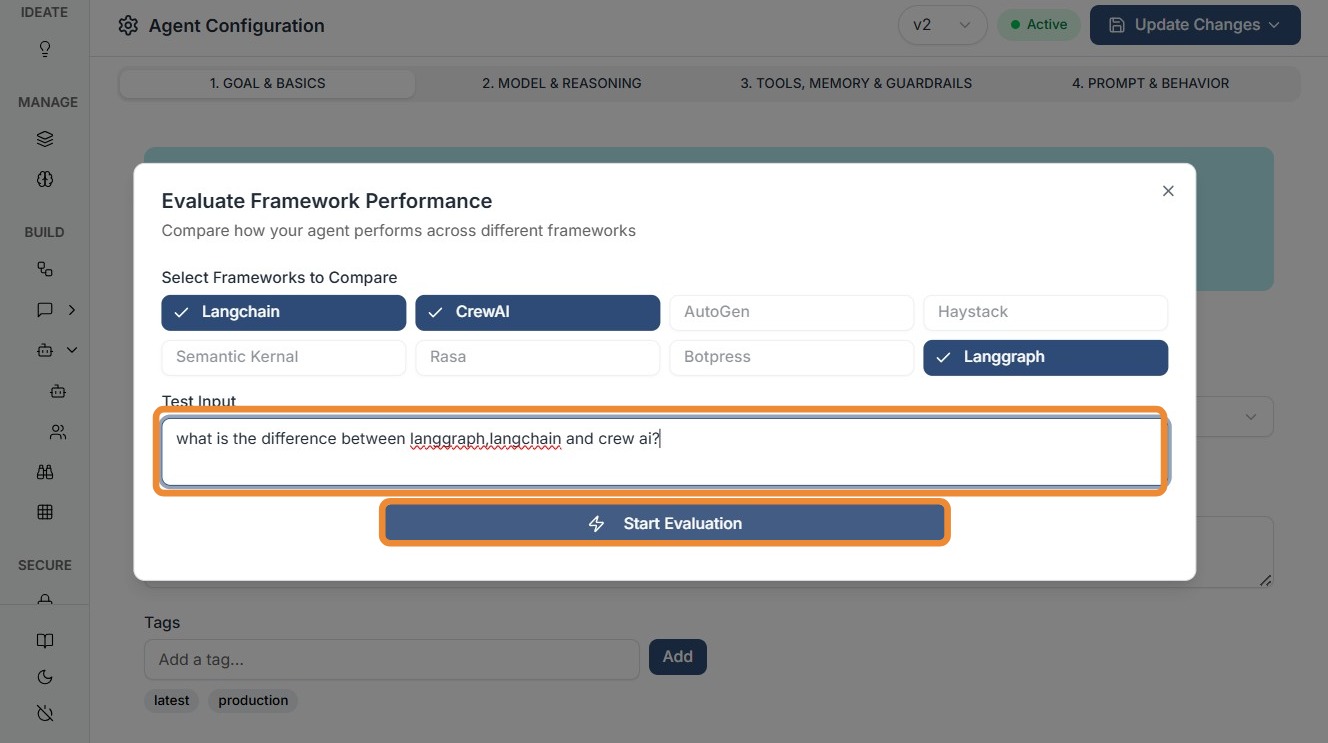
Enter your test query and start evaluation.
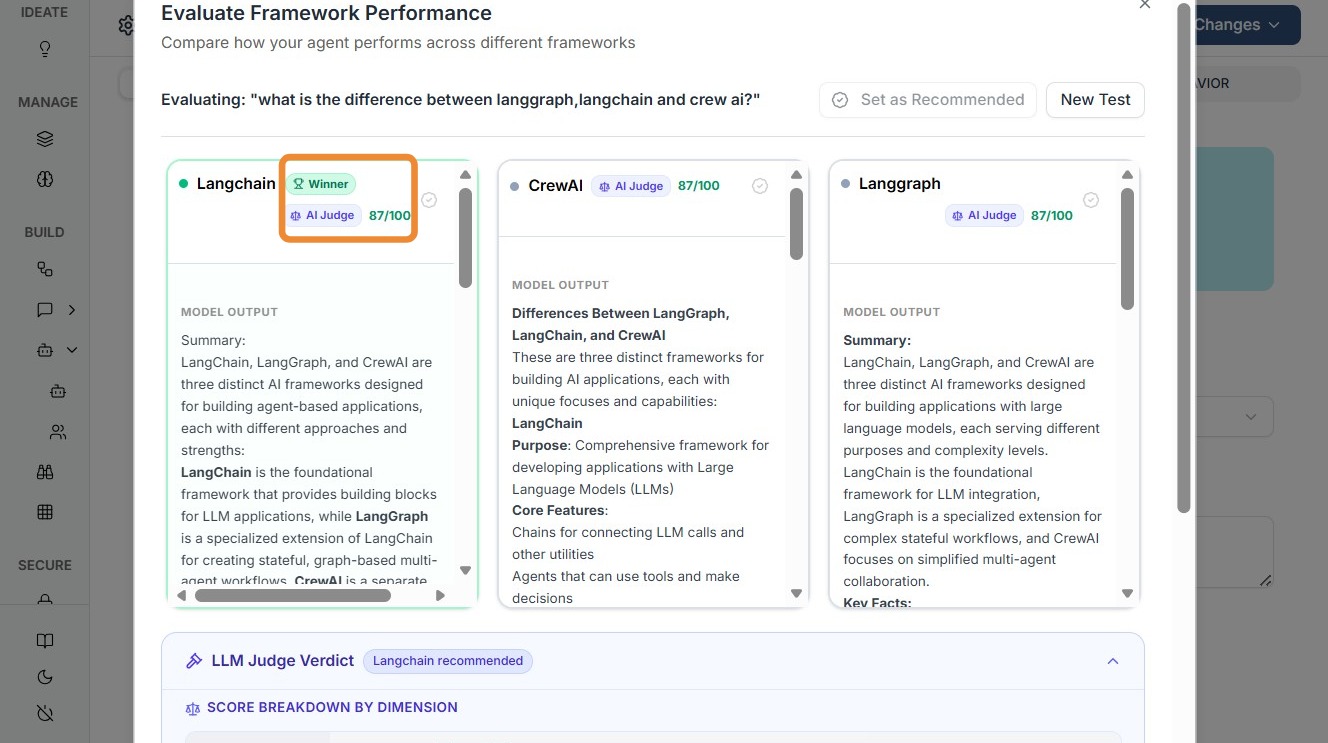
Kompass will show the best Framework as winner along with the score.
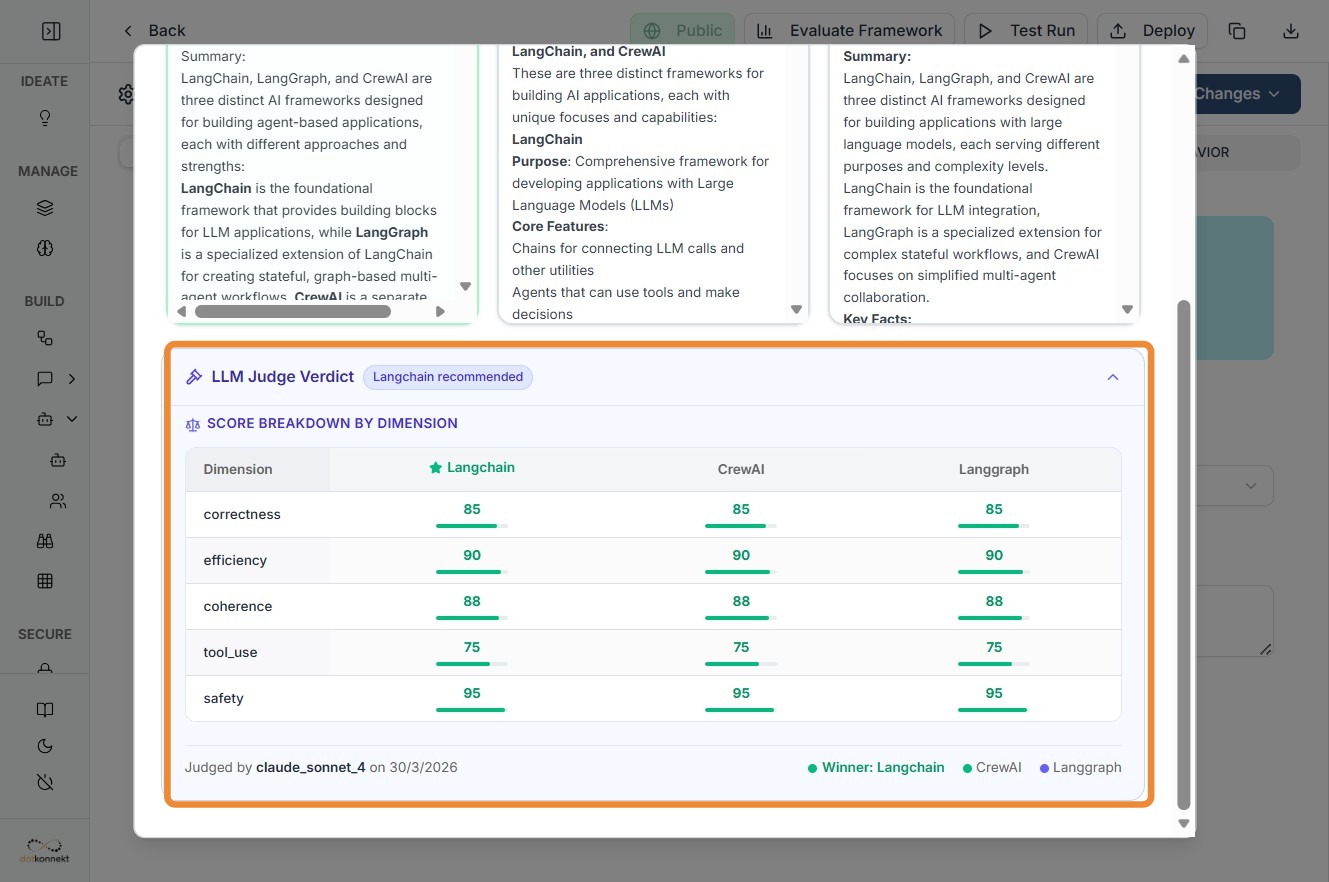
Scroll down to see scores based on various dimensions.
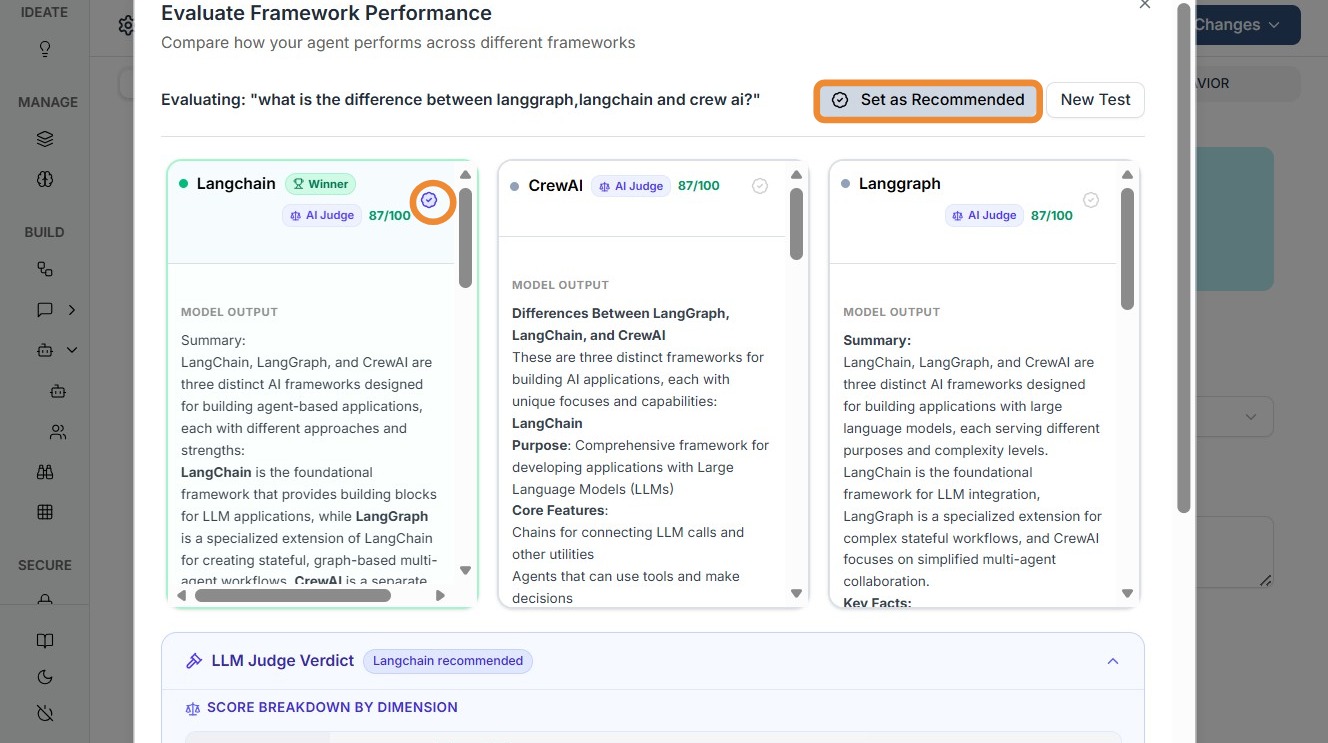
Click "Set as Recommended"
What Happens After Setting Recommendation
Once a framework is marked as Recommended:
- It becomes visible in the Agent Edit → Models & Reasoning tab (3rd tab)
Flexibility & Control
Kompass does not lock you in.
You can:
- Navigate to the Models & Reasoning tab
- Change or override the selected framework anytime
This ensures:
- Experimentation flexibility
- Continuous optimization
- No framework lock-in