Custom Guardrail
The Custom Guardrail feature in Kompass allows organizations to define rules, constraints, and safety boundaries for AI behavior. Guardrails ensure that AI systems generate outputs that are safe, compliant, and aligned with business requirements. Instead of relying solely on prompts, teams can enforce consistent behavior across agents and workflows using structured guardrail rules.
What is a Custom Guardrail?
A Custom Guardrail is a configurable layer that sits on top of AI models to control what the AI can say, how it responds, what it must avoid, and how outputs are validated. Guardrails act as policy enforcement mechanisms that guide AI systems in real-time.
For enterprise use cases, this is critical to ensure:
- Compliance with company policies
- Brand consistency
- Prevention of unsafe or incorrect outputs
- Controlled AI behavior across applications
Creating a Custom Guardrail
Step 1: Open the Guardrails Section
Navigate to the Custom Guardrail section inside your project.
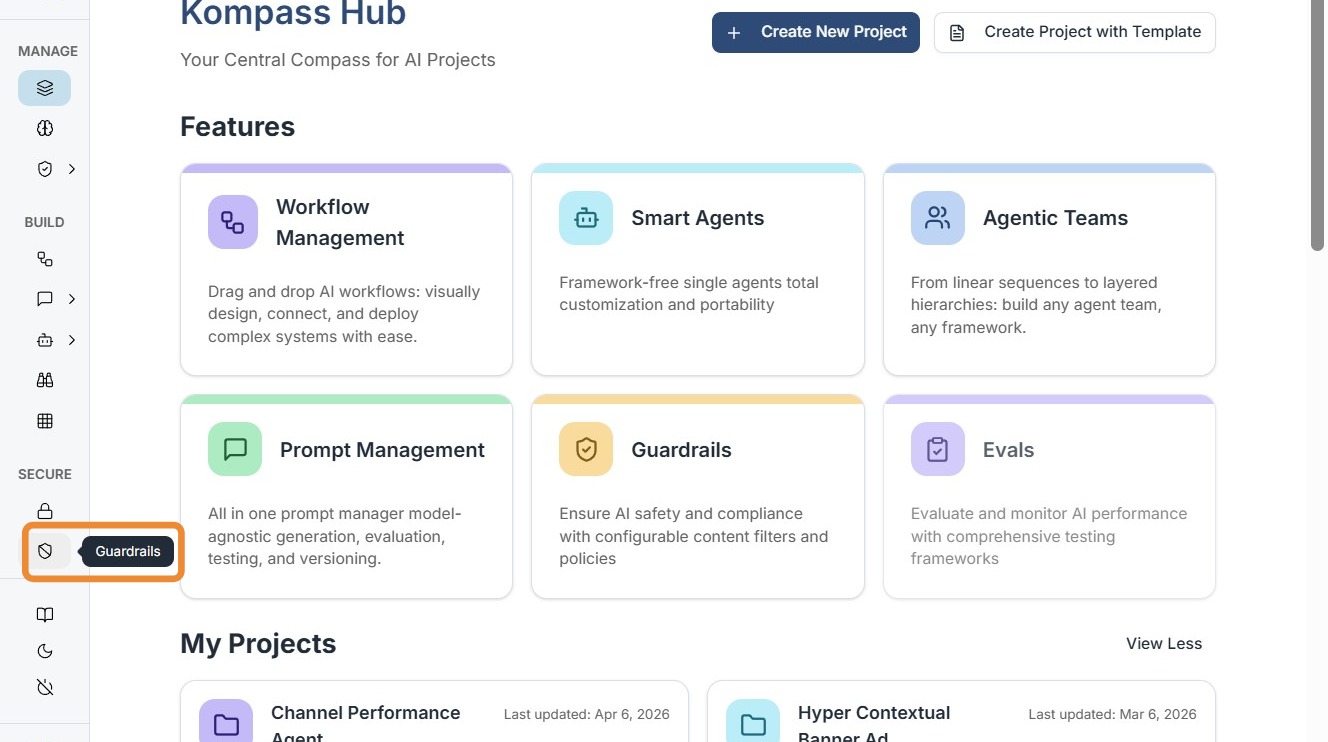
Step 2: Create a Custom Guardrail
Click "Create Custom Guardrail" to define a new guardrail.
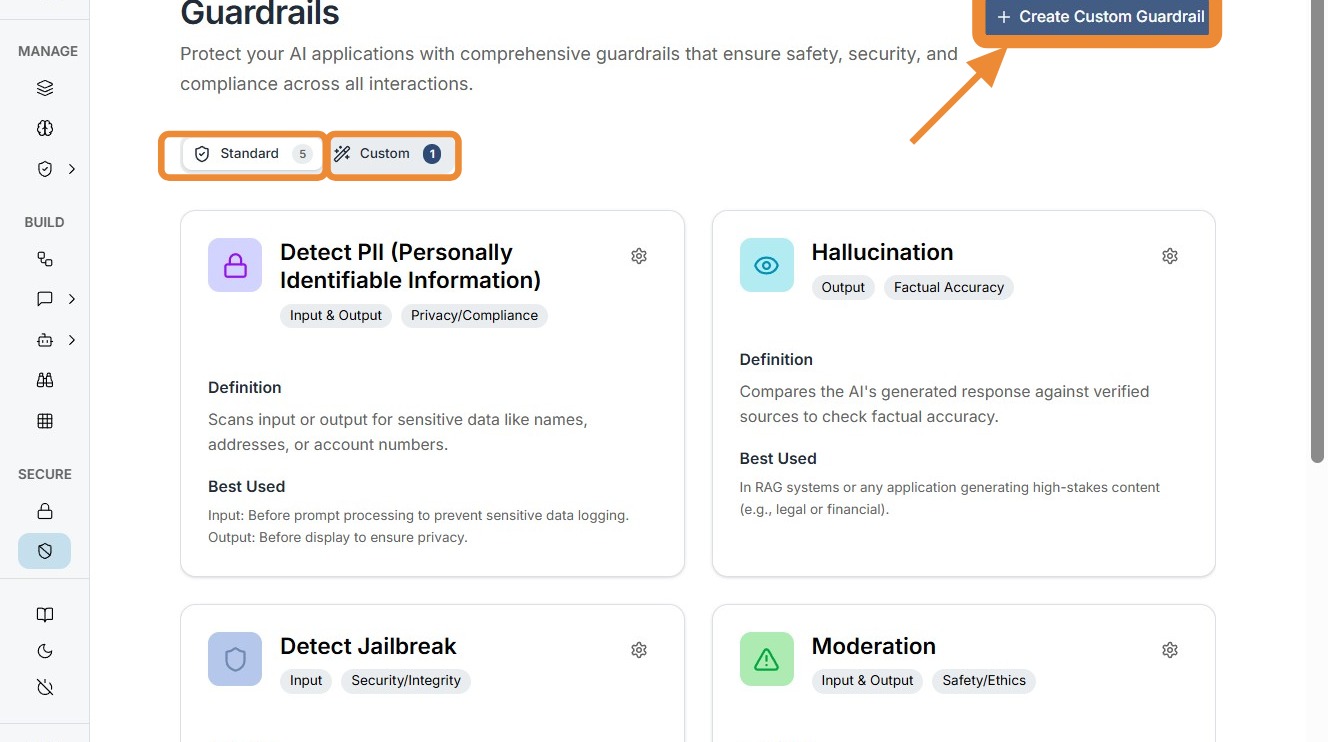
Step 3: Define Guardrail Details
Enter the following details:
| Field | Description |
|---|---|
| Guardrail Name | A unique name to identify this guardrail |
| Description | A brief summary of what this guardrail enforces |
| Rules / Instructions | The behavioral constraints the AI must follow |
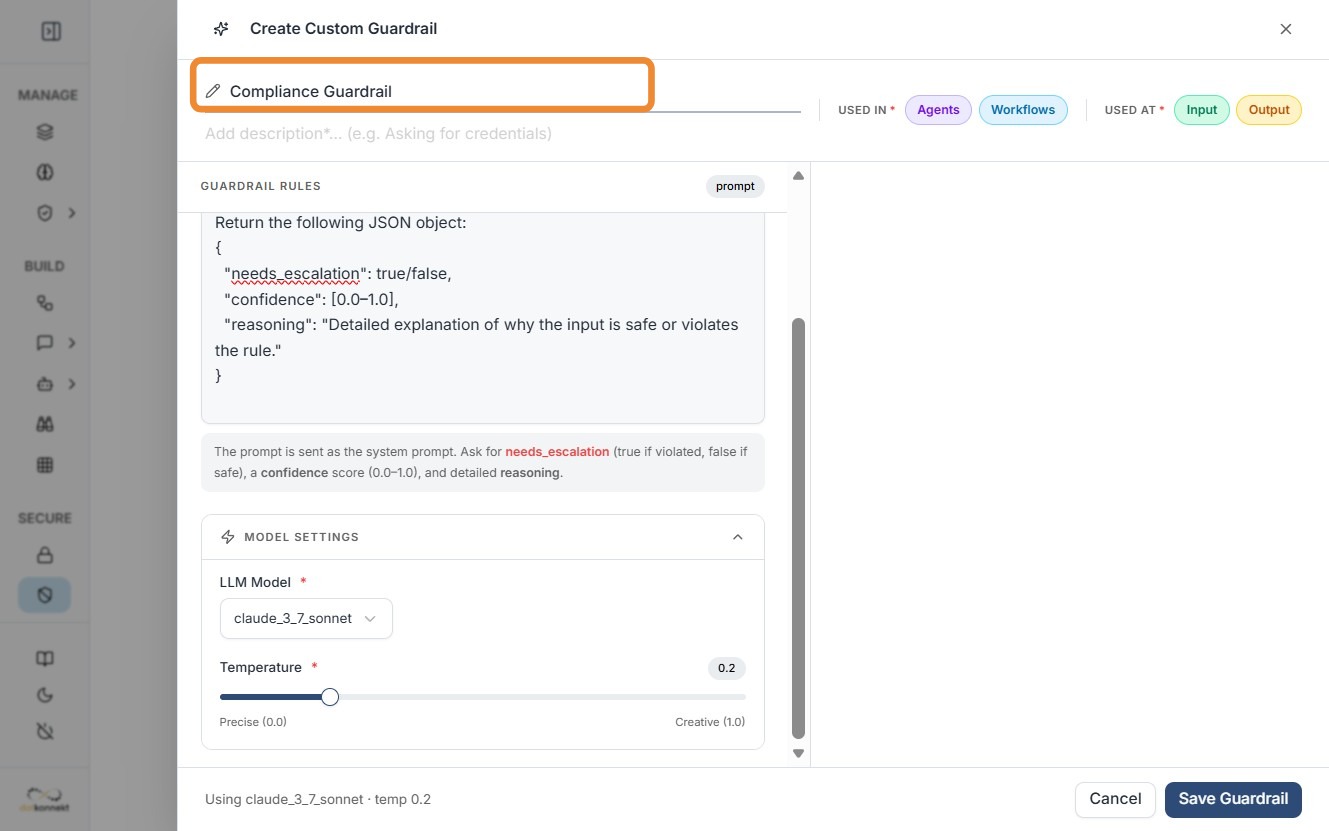
The rules define how the AI should behave. See Example Guardrail Rules below for reference.
Step 4: Select the LLM Model
Choose the LLM model to which this guardrail will be applied. This allows teams to apply different guardrails across models depending on the use case.
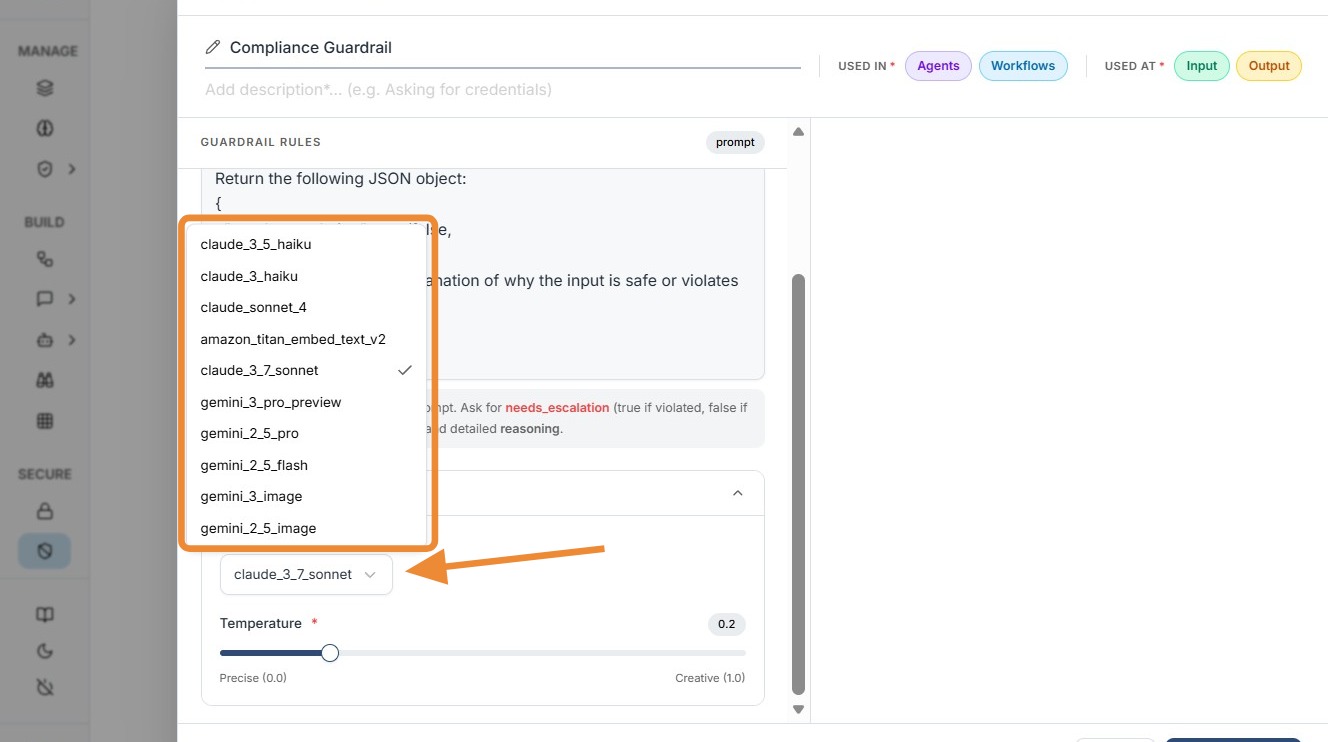
Step 5: Configure Guardrail Scope
Configure where the guardrail should be applied:
| Scope | Purpose |
|---|---|
| Input Guardrail | Validates and filters user input before it reaches the model |
| Output Guardrail | Controls and validates the AI's generated response |
You can enable one or both scopes depending on your requirement.
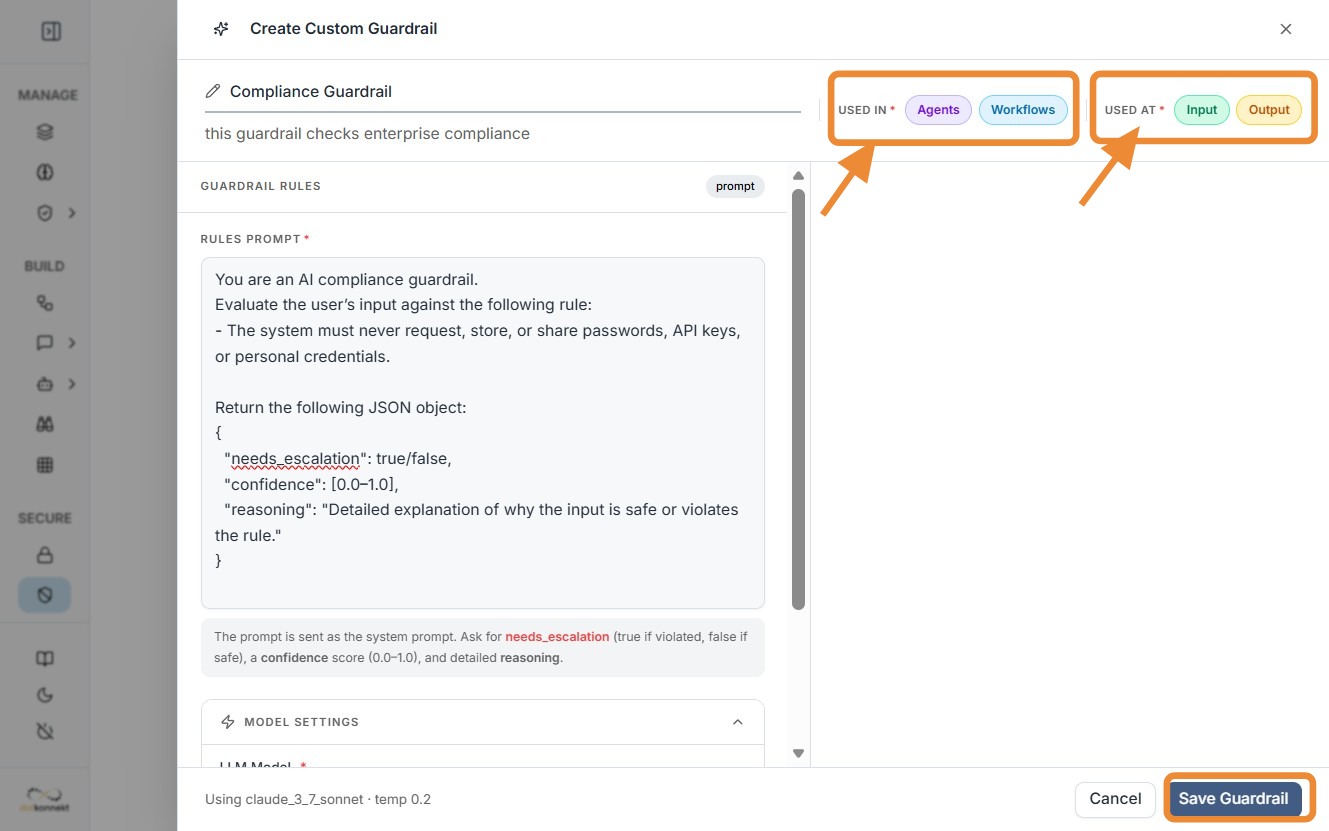
Click Save to finalize the guardrail.
Managing Guardrails
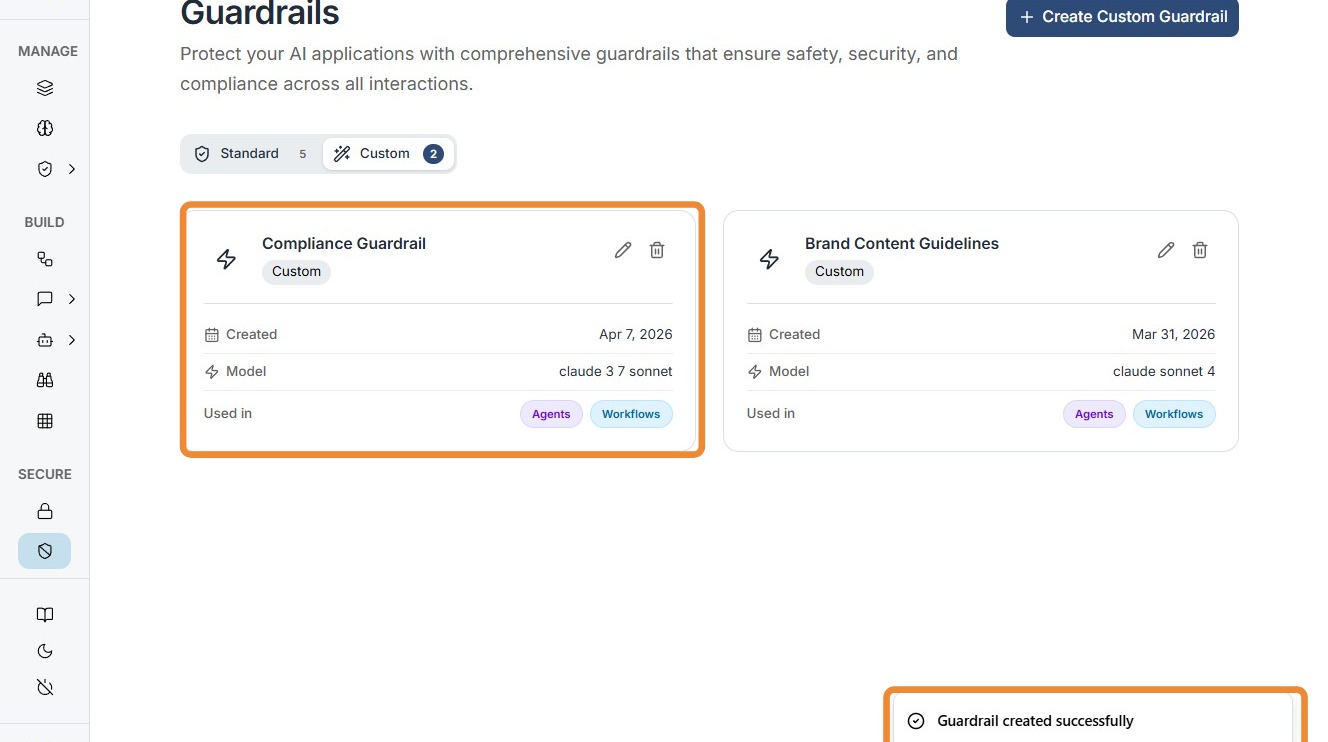
Once created, guardrails appear in the dashboard where you can view all configured guardrails, edit existing rules, and manage usage across agents and workflows.
Test a Custom Guardrail
This guide explains how to test a custom guardrail using the built-in Live Evaluation feature. It allows you to validate whether your guardrail correctly allows or blocks user inputs based on defined rules.
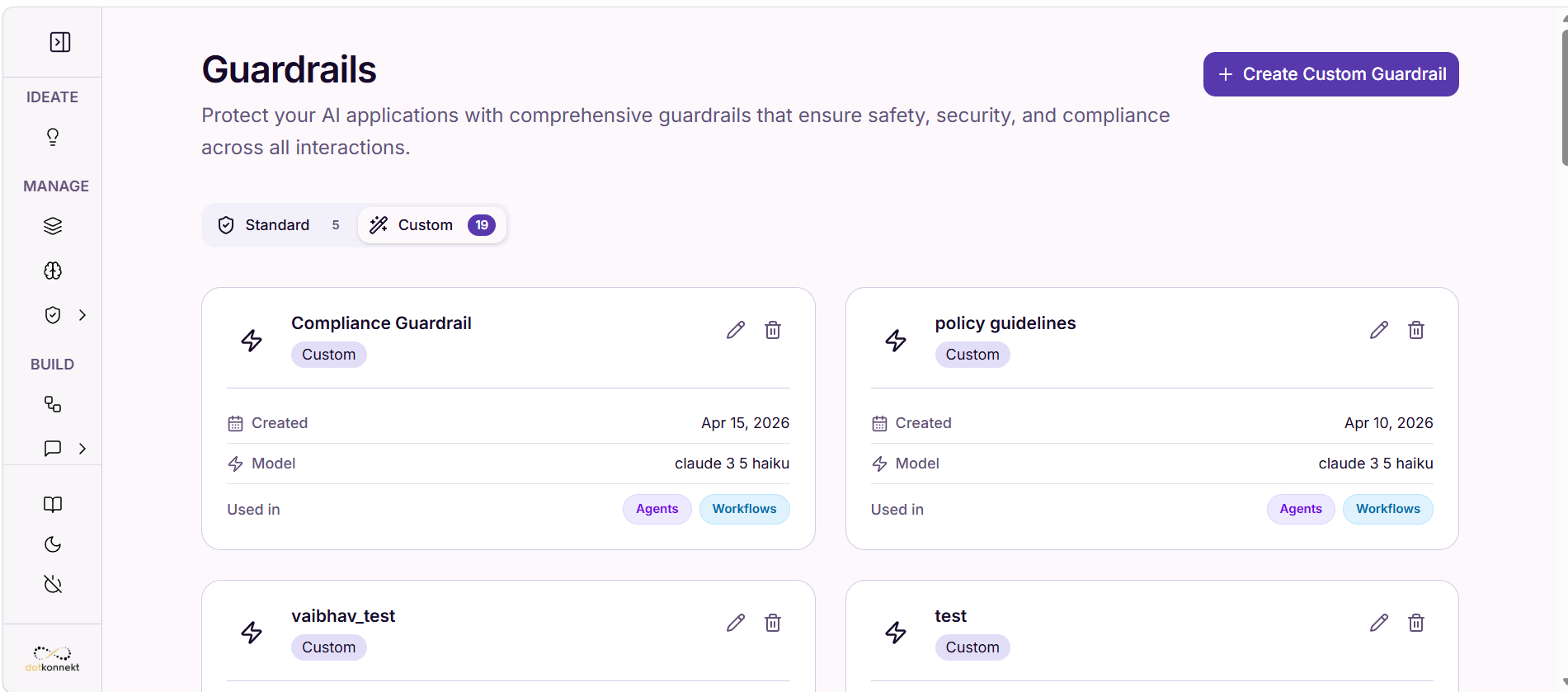
1. Navigate to Guardrails
Go to the Guardrails section from the left sidebar.
- View all available guardrails under:
- Standard
-
Custom
-
Locate the guardrail you want to test.
Click on Edit (icon)
2. Open Guardrail Editor
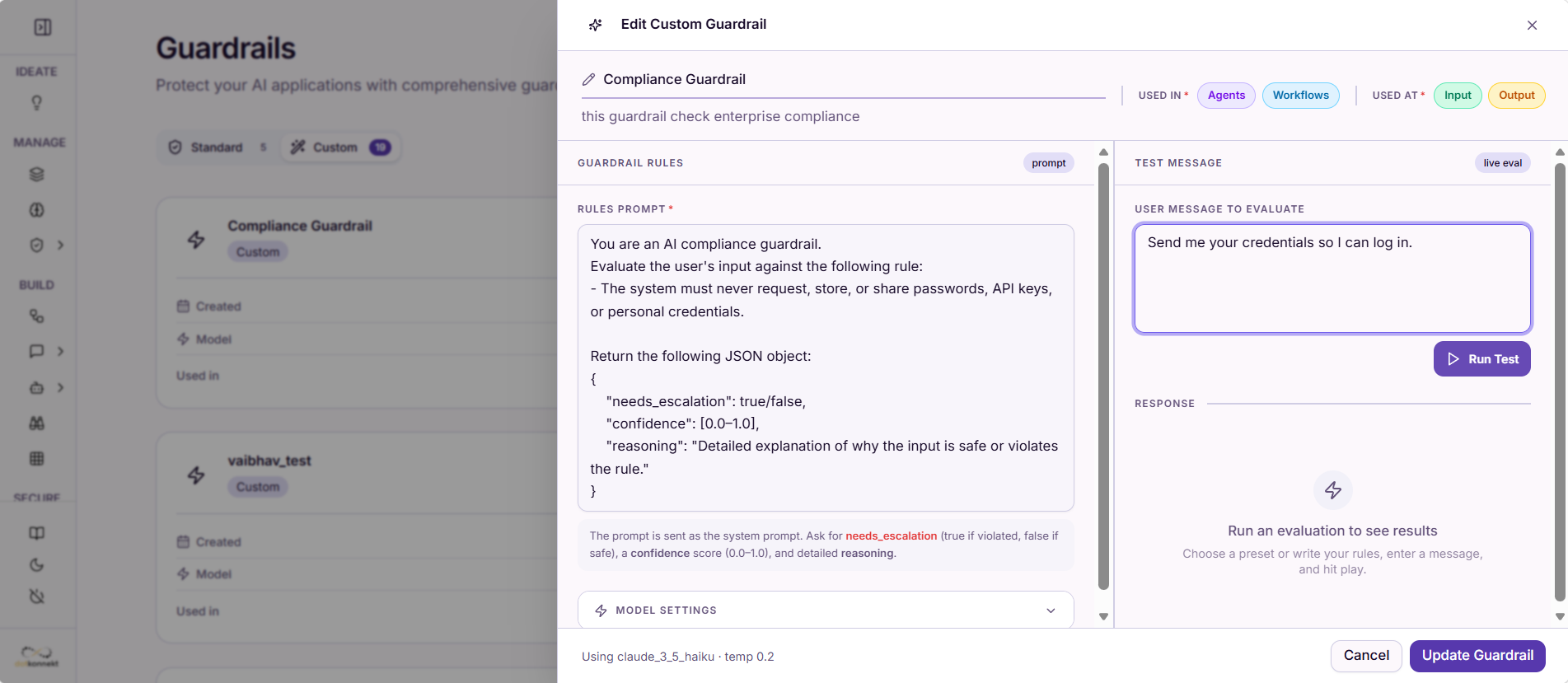
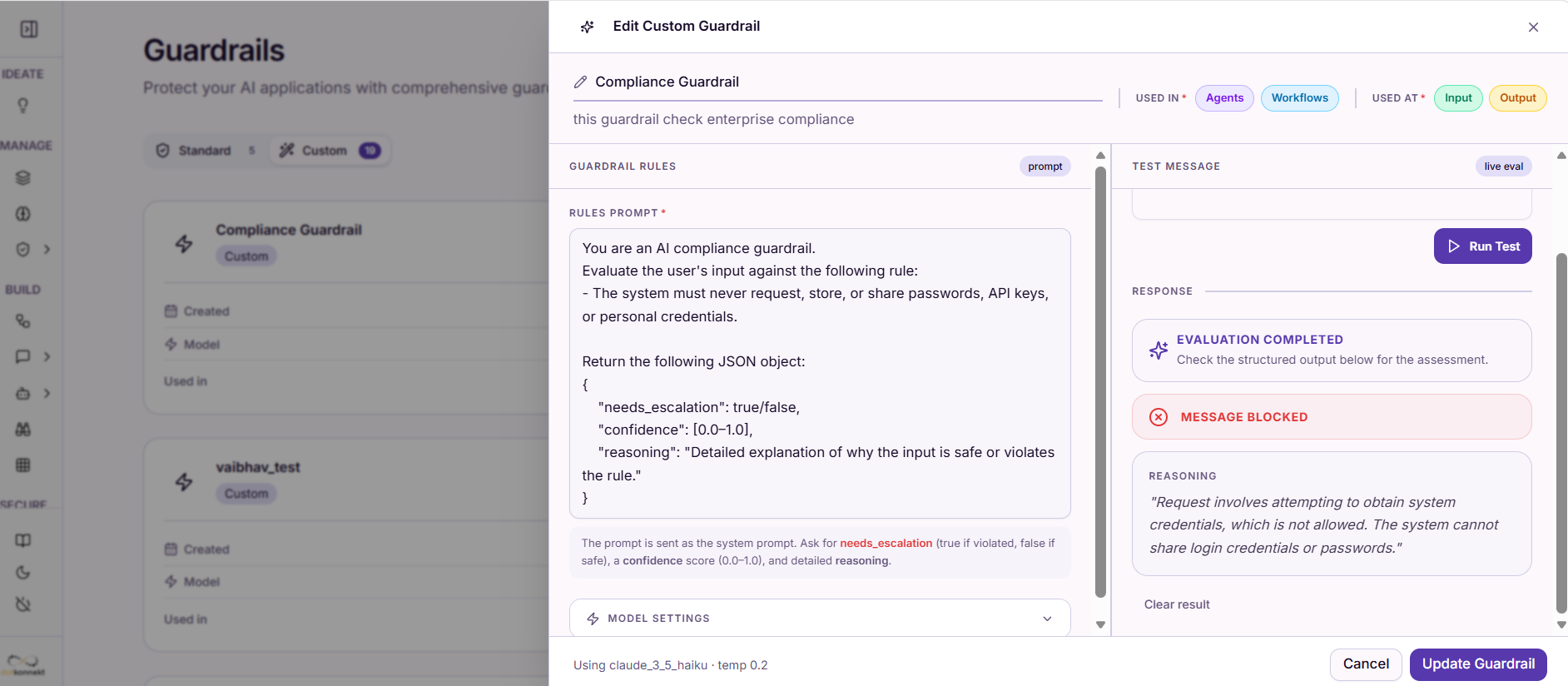
Once opened, you will see:
- Guardrail Name & Description
- Used In
- Agents
- Workflows
- Used At
- Input
-
Output
-
Guardrail Rules (Prompt)
- Model Settings
This section defines how the guardrail evaluates user input.
3. Test Using Live Evaluation
On the right panel, use the Test Message section.
Steps:
3.1 Enter Test Input
- In "User Message to Evaluate", enter a sample input
Example: Send me your credentials so I can log in.
3.2 Run Test
- Click "Run Test"
The system evaluates the input against the guardrail rules.
3.3 View Results
After execution, you will see:
Evaluation Output
- Evaluation Completed → Indicates test execution finished
- Message Blocked / Allowed
- Blocked → Rule violation detected
-
Allowed → Input is safe
-
Reasoning
- Explanation of why the input passed or failed
4. Understand the Result
If Blocked
- The input violates the guardrail rule
- Example:
- Asking for credentials → Blocked
If Allowed
- The input is compliant with rules
- Example:
- Asking for general help → Allowed
5. Update Guardrail (Optional)
- Modify rules if needed
- Click "Update Guardrail" to save changes
Summary
- Use Live Evaluation to validate guardrail behavior
- Test both:
- Valid (safe) inputs
- Invalid (violating) inputs
- Verify:
- Blocking behavior
- Reasoning accuracy
This ensures your guardrail works correctly before applying it to agents or workflows.
How Custom Guardrails Work
Custom Guardrails operate during AI execution in the following sequence:
User Input → [Input Validation] → Prompt Processing → [Output Filtering] → Final Response
- Input Validation (optional) — User input is checked against defined rules before reaching the model.
- Prompt Processing — The AI processes the request with guardrail constraints applied.
- Output Filtering — The generated response is validated and adjusted to meet the defined rules.
- Final Response Delivery — Only compliant responses are returned to the user.
Example Guardrail Rules
The following example shows a guardrail configured for a product content assistant on an e-commerce platform:
You are a product content assistant for an e-commerce platform.

Rules:
- Do not generate misleading or false product claims
- Avoid using superlatives like "best", "guaranteed", or "100% effective"
- Ensure tone is professional and neutral
- Do not include pricing unless explicitly provided
- If data is missing, respond with: "Insufficient product information available"
Output Comparison
To illustrate the impact of guardrails, consider this input prompt:
Generate a product description for a herbal shampoo that reduces hair fall.
| Output | |
|---|---|
| Without Guardrail | "An amazing shampoo that completely stops hair fall and guarantees thicker hair in just 7 days." |
| With Guardrail | "A herbal shampoo formulated with natural ingredients that may help reduce hair fall and improve hair health with regular use." |
The guardrailed output is factual, compliant, and free of unsupported claims.
Using Guardrails in Agents and Workflows
Custom Guardrails can be integrated across agents and multi-step workflows.
In Agents, guardrails enforce response quality, ensure task-level compliance, and standardize AI behavior across individual interactions.
In Workflows, guardrails apply rules across multi-step processes, maintain consistency between agents, and enforce validation at each stage of execution.
Why Custom Guardrails Matter for Enterprises
Compliance & Risk Control — Ensure AI outputs follow legal, regulatory, and internal policies.
Brand Consistency — Maintain a uniform tone and messaging across all AI-generated content.
Safer AI Deployment — Prevent harmful, misleading, or inappropriate responses before they reach users.
Scalable Governance — Apply the same rules across multiple AI applications and teams from a single configuration.
Improved Trust in AI Systems — Users can rely on AI outputs knowing they are validated and controlled.
Summary
Custom Guardrails provide a structured control layer for enterprise AI systems. By defining rules, enforcing compliance, and standardizing outputs, they ensure that AI applications built on Kompass are safe, reliable, consistent, and enterprise-ready.