AI Brain
The AI Brain in Kompass is the centralized context storage system that enables AI applications to access, understand, and use enterprise data effectively.
It allows teams to upload structured and unstructured data from multiple sources and convert it into usable knowledge for AI agents and workflows.
Instead of relying only on prompts, the AI Brain gives your AI systems memory and context, making outputs more accurate, relevant, and aligned with business data.
What is AI Brain?
AI Brain acts as a knowledge layer for your AI applications.
It ingests data from files and URLs, processes it into smaller chunks, and indexes it for fast retrieval during AI execution.
This ensures that agents and workflows can:
- access real business data
- generate context-aware responses
- reduce hallucinations
- deliver consistent outputs across use cases
For enterprise teams, this transforms AI from a generic tool into a context-driven system tailored to organizational knowledge.
Adding a New Data Source
To start using AI Brain, users can upload or connect data sources.
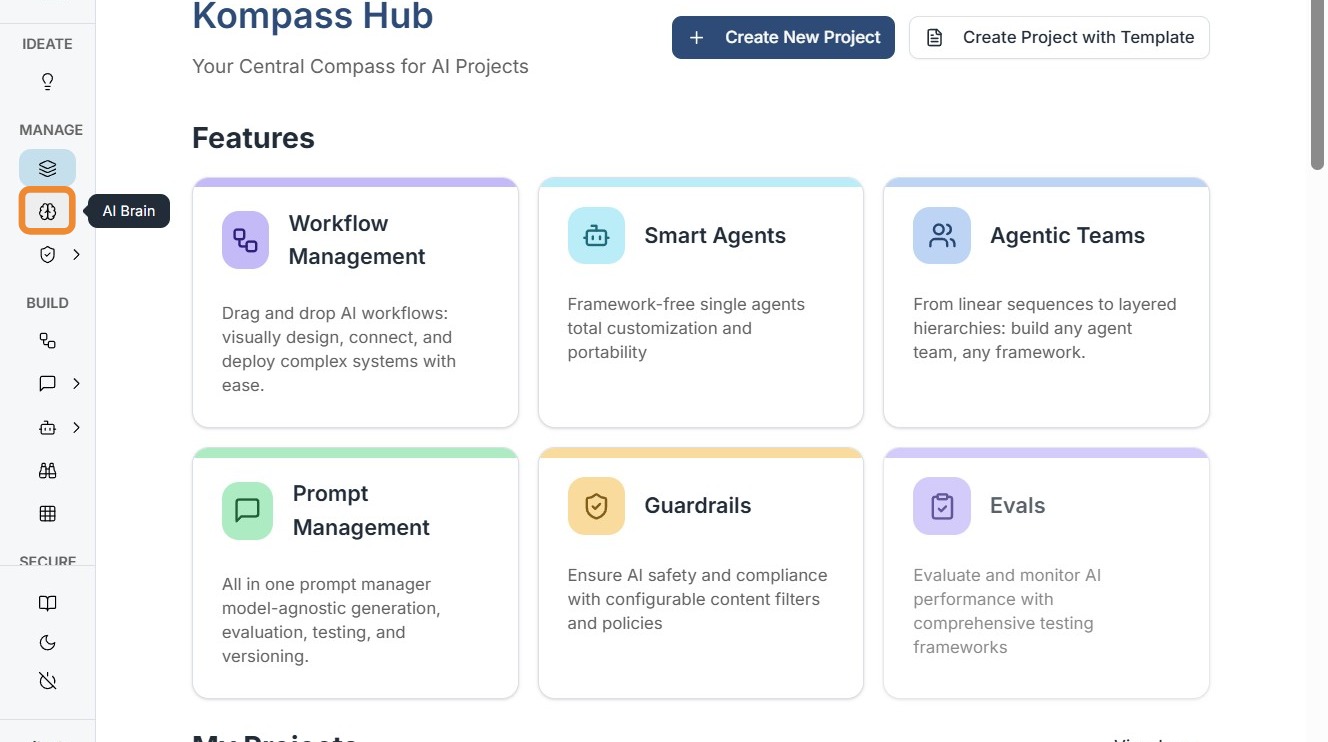
Step 1: Open AI Brain
Navigate to the AI Brain section inside your project workspace.
Step 2: Add New Source
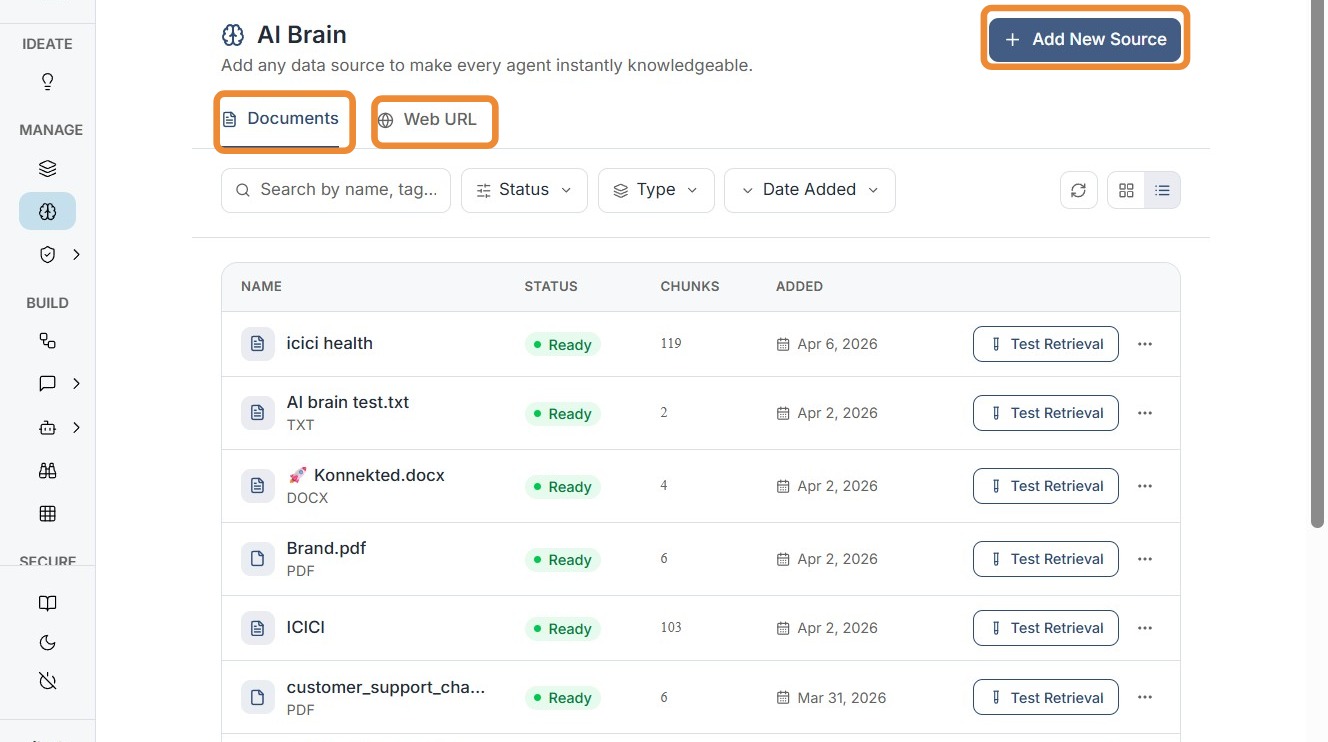
Click on "Add New Source" to upload or connect data.
Step 3: Upload or Connect Data
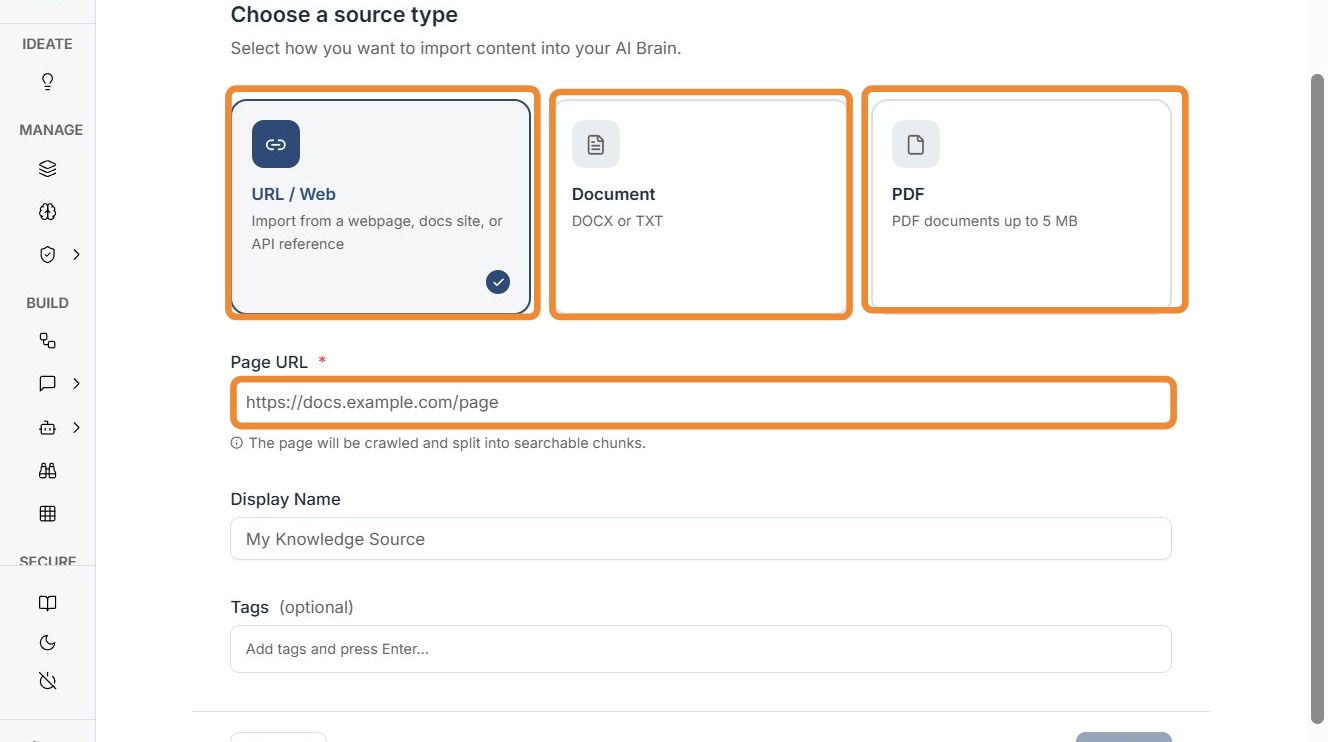
Users can add data in multiple formats, including:
- URLs (web pages)
- PDF files
- DOCX documents
- TXT files
After selecting the source, click Next to proceed.
Step 4: Save & Index
Click "Save & Index" to process the data.
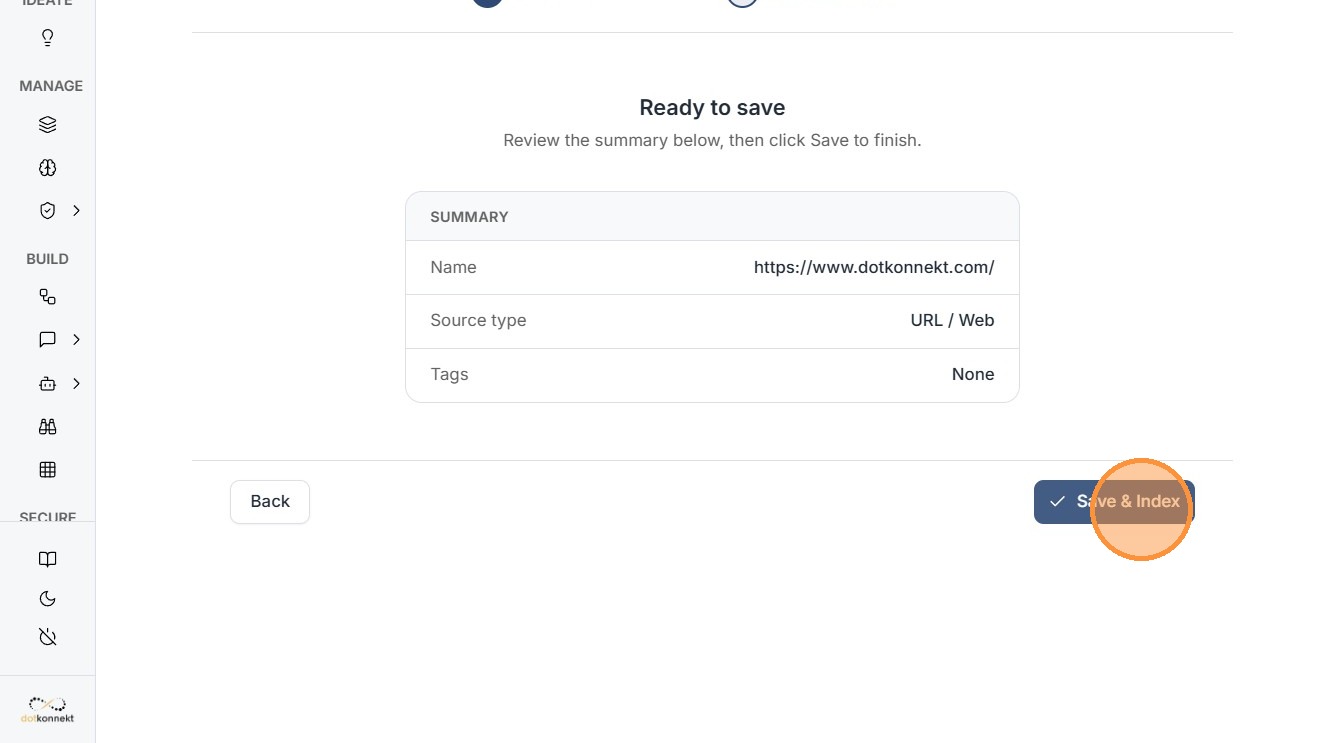
During this step, Kompass:
- breaks the content into smaller chunks
- converts it into embeddings
- stores it in the AI Brain for retrieval
This indexing process ensures fast and accurate access to relevant information during AI execution.
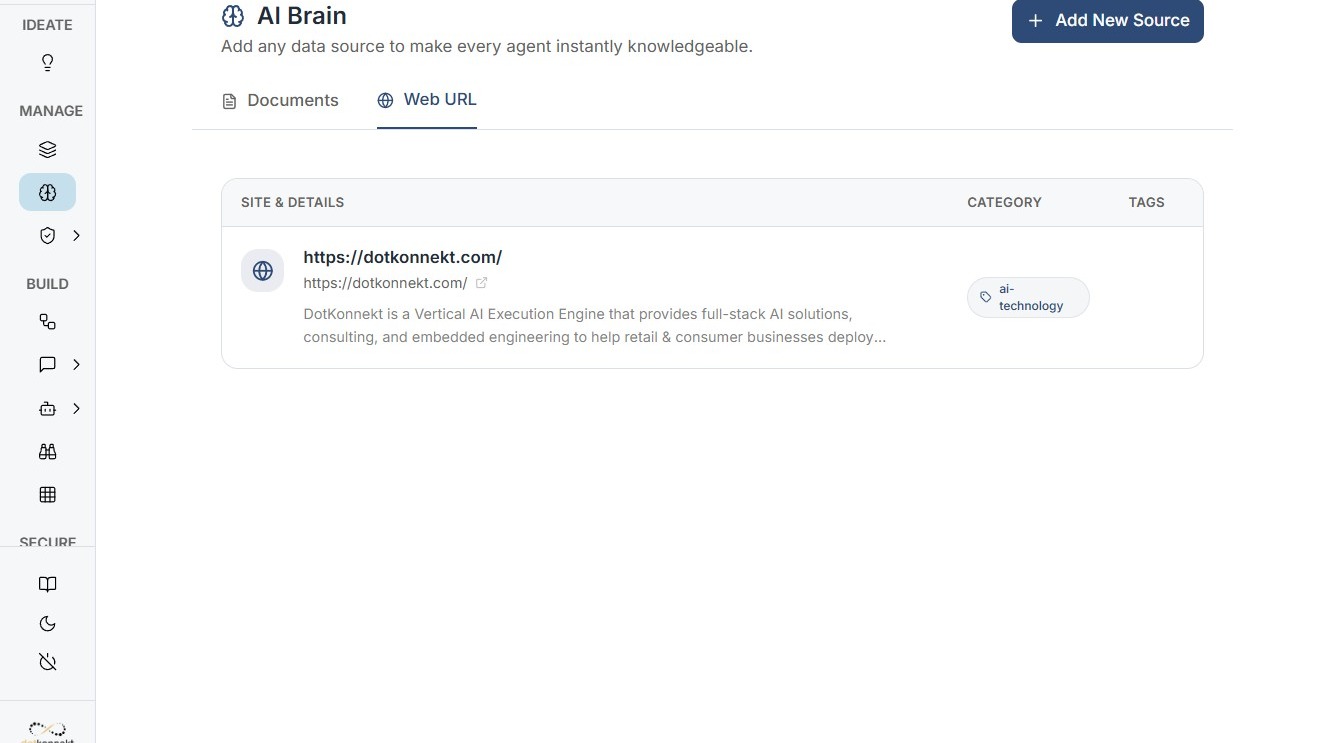
Step 5: View Source Details
Once indexed, the source appears in the AI Brain dashboard.
Users can view and manage added sources, including web URLs and uploaded documents.
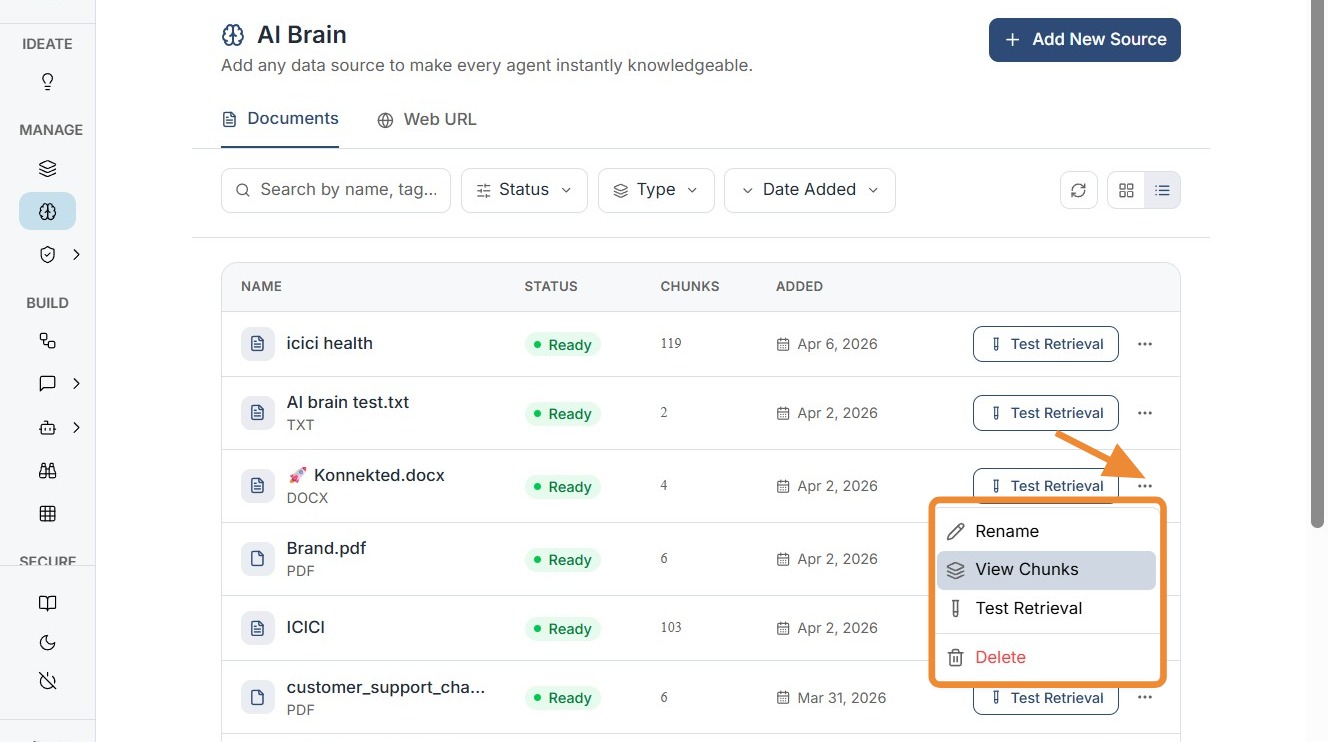
Step 6: Manage and Monitor Sources
Users can monitor the status of indexed data and manage sources directly from the AI Brain interface.
How AI Brain Works
The AI Brain follows a structured pipeline to make data usable for AI systems:
-
Data Ingestion
Files and URLs are uploaded into the system -
Chunking
Content is broken into smaller, meaningful segments -
Indexing
Data is transformed into embeddings and stored -
Retrieval
Relevant chunks are fetched during AI execution -
Response Generation
Agents use this context to produce accurate outputs
This process enables retrieval-augmented generation (RAG), ensuring AI outputs are grounded in real data.
Using AI Brain in Agents & Workflows
The stored context in AI Brain can be directly used across:
Agents
Agents can access AI Brain to:
- answer questions based on company documents
- generate insights from internal knowledge
- provide context-aware responses
Workflows
Workflows use AI Brain to:
- enrich multi-step AI processes
- pass relevant context between agents
- automate knowledge-driven tasks
Why AI Brain Matters for Enterprises
AI Brain is critical for scaling AI across organizations because it ensures:
Context-Aware AI
AI systems generate responses based on actual business data, not just generic knowledge.
Consistency Across Teams
All teams use the same centralized knowledge base, ensuring aligned outputs and decisions.
Reduced Hallucinations
By grounding responses in indexed data, AI Brain significantly improves accuracy and reliability.
Faster Deployment of AI Solutions
Teams can quickly build AI applications without repeatedly redefining context in prompts.
Scalable Knowledge Management
AI Brain grows with the organization, supporting:
- large document repositories
- dynamic knowledge updates
- multiple AI use cases
Summary
The AI Brain transforms Kompass from a workflow orchestration platform into a context-aware AI system.
By combining data ingestion, intelligent indexing, and seamless integration with agents and workflows, it enables enterprises to build AI applications that are:
- accurate
- scalable
- consistent
- deeply aligned with business knowledge